 JobClay
Slack and Discord communities
A job board for your Slack or Discord community, with each new job sent to your channel by a Zapier or Make step
Your members already trade jobs in a channel, and the posts get more attention than most of what else you share. Then people ask to post their own. The #jobs channel fills with half-written listings, and a hand-kept sheet of who paid stops being fun.
You want one place where employers can post by themselves, a way to look at each post before members see it, and some income that does not depend on your evenings. You also want members to hear about new jobs where they already spend time, not on yet another site.
Free plan, no card needed.
What boards like this charge
Plenty of communities let employers post in a channel for nothing, so a paid board needs a vetted audience employers cannot reach elsewhere. These communities publish their terms for a post on their own pages, quoted here as read on the day shown.
Techqueria (Latinx professionals in tech, with a Slack workspace)
$200 for one job post for 30 days, $550 for three and $950 for five. Its FAQ page (techqueria.org/jobs/faq/, read the same day) says each post is shared on the website and in the community’s #jobs Slack channel.
techqueria.org/jobs/post, read
Game Devs of Color (game industry, with a Discord server)
A listing stays up for 45 days and is shared in the newsletter, jobs emails, social media, LinkedIn and the Discord server. Smaller companies can ask for sliding scale pricing, three to five jobs get 10% off and six or more 20% off, and sponsors of its expo post free. The page prints no base price.
Each price is as the page linked under it showed it on the day given, and prices change. Page updated .
Will a website pull members away from the community, and who has time to vet every post?
Not if the community stays where jobs are announced. Members do not need to check a site: each job that goes live can be sent to a channel, with its title, company, place and link, by a step in a Zapier or Make workflow that JobClay’s webhook starts. The board is where the listing lives and where employers pay; the channel is where members hear about it.
Vetting takes less time than a channel does, because it happens in one queue. Switch on approval for new employers, for each employer’s first publication of every job, or both. A new employer cannot publish until you approve the account, and with job approval on, the first publication of each job then waits for you in the console. Approve or reject with a note, and the employer is emailed either way. A job that has been live before goes live again without waiting.
A worked example
A board for a community of data analysts
Say you run a Slack workspace of 4,000 data analysts, and a #jobs channel that has outgrown itself. You start a board, give it a name and an address, and turn on approval for new employers and for new jobs. From then on a company has to make an account, write its post with the employer tools and wait for you.
In the console you add one webhook: an https address that a Zapier or Make step gave you, with only the Job published event ticked. You send a test event so the tool sees the fields, add a step of your own that writes a message in #jobs, and fill it from the title, company, place and link of the event.
The first employer to sign up shows in your approvals queue. You approve the account, the employer is emailed and writes a job, and the job waits for you in turn. When you approve it, it is public on the board, and within a few minutes the step posts it in the channel, once. You tick the Employer signed up event on a second address that posts to a private moderators’ channel, so you hear about new employers without opening the console.
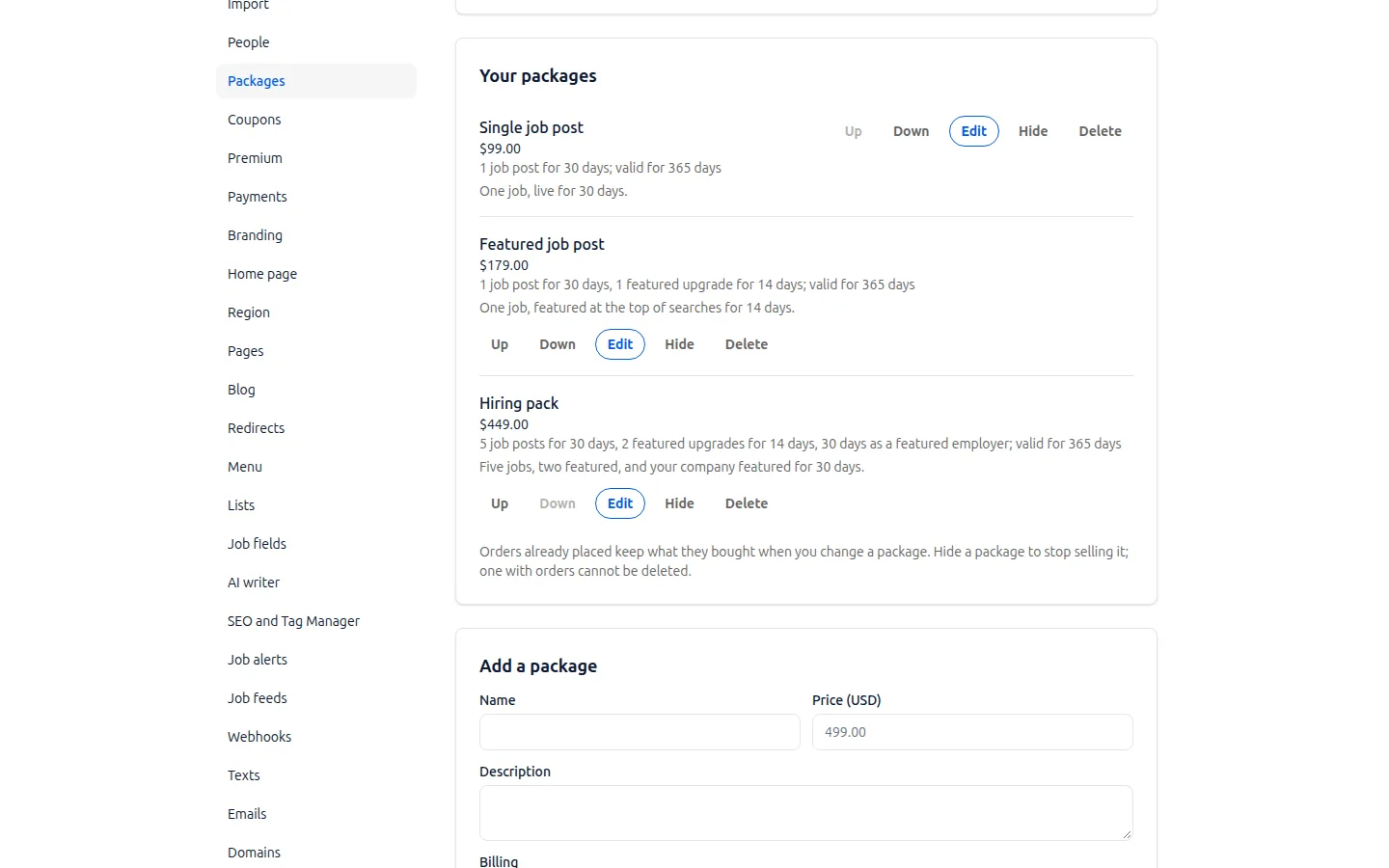
For income you let each company post one job free every month and sell packages for more, paid into your own Stripe account.
What the example cannot promise is employers: a community of 4,000 may not be enough for them to pay.
What JobClay does for it
-
A webhook for a job going live
Webhooks are events your Zapier or Make step can receive. Add an https address in the console, tick Job published, and JobClay posts one message each time a job becomes public. The same feature sends Job closed, Application received, Employer signed up, Order paid and Job alert confirmed, on every plan, to up to 10 addresses.
-
The facts a channel message needs
A job event carries the title, the link, the company, the places, the work mode, the job types, when it opened and expires, and the salary when the job shows one. It carries no job description. Jobs that come from your job sources send nothing unless you tick Include imported jobs on that address.
-
A test event, signatures and a delivery log
Send a test event of any type so Zapier or Make learns the fields; it is marked as a test. Each request is signed with the Standard Webhooks headers, and a failed delivery is tried again, up to ten attempts in all over about three days. The console keeps a log of recent deliveries and the answer to each.
-
Employer accounts, so posts are theirs to manage
An employer signs up with a work email and sees their own jobs and applicants in the employer app on your board’s address. Accounts are per board: an employer on your board has no account on anyone else’s.
-
Two approval switches
On the console’s Approvals page, New employers need approval keeps a new account from publishing until you approve it, and New jobs need approval holds an employer’s first publication of each job. Both are off until you switch them on. Jobs you post yourself never wait.
-
Free posts, then paid packages
Allow each company a set number of free posts a month, or none, and sell packages of posts or a featured post in your board’s currency. Card payments go into your own Stripe account, and the Order paid event can tell a channel when someone buys.
Where JobClay is the wrong choice
- You want a Slack app or a Discord bot. JobClay has no Slack app and no Discord bot: members cannot post a job from inside the chat, or search jobs there with a command. A message reaches your channel only through a step you build in Zapier or Make, which carry what a webhook sends, and those tools have plans and limits of their own.
- You want members to sign in with their Slack or Discord account. There is no sign-in through the community, and no check of who is in it. Job seekers and employers make an account on the board, and the board is a website for visitors, not a members-only space.
- You only need a channel for a few posts a month. A pinned message and a form may do until posts, payments and vetting take your time.
How to start
- 1
Start the board and turn on approval
Sign up, name the board and choose its address. On the Approvals page switch on approval for new employers and for new jobs.
- 2
Decide what posting costs
Choose how many free posts each company gets a month and make a package for the rest. Connect Stripe, or add your bank details for transfers.
- 3
Connect a channel
In Zapier start a Zap with the Catch Hook trigger of Webhooks by Zapier, or in Make a scenario with the Custom webhook module, and copy the address. Add it under Webhooks in the console, tick Job published and send a test event. Then add the step that writes in your channel.
- 4
Tell your members
Pin the board in the community, say how employers can post, and keep the job alert sign-up on for members who prefer email.
Questions
Anything else? See the plans, or start a free board and look around.
Can JobClay post jobs to Slack or Discord by itself?
No. JobClay posts a signed web request to an address you choose whenever a job is published. A Zapier or Make step reads it, and a step you add to the same workflow writes the message in your channel. Without that second step nothing reaches the chat.
What do Zapier and Make say about receiving webhooks?
Zapier’s help page says its Catch Hook trigger gives you a unique URL that another app can send POST requests to, and its Catch Raw Hook trigger also passes along the headers. Make’s documentation says its Custom webhook module creates a unique URL that services call to start a scenario. Both were read on October 30, 2026.
When does a new job reach the channel?
After it becomes public, which for a job waiting on your approval is when you approve it. JobClay checks for newly public jobs every two minutes, and sends the event within a minute after that. A job that is rejected, or still waiting, sends nothing.
Can members get new jobs without Slack or Discord?
Yes. Visitors can sign up for email job alerts, daily or weekly, and a board has an RSS feed of its 50 newest live jobs at its /feed.xml address that tools reading feeds can use.
Do my members need an account to see jobs?
No. The board is public, so a member can read jobs without signing up. Employers need an account to post, and your approval switches decide whether they publish at once or wait for you.
Who owns the money and the employer list?
You do. Card payments go into your own Stripe account with no share to JobClay, every paid order gets an invoice, and the console lists your employers, jobs and orders.
Related
- Use cases How niche boards, newsletters, communities, local boards, staffing agencies and boards outside the US run on JobClay, and where it is the wrong choice.
- Newsletters Give your newsletter a job board: a feed for a jobs section, packages employers buy into your own Stripe account, and weekly alerts. No native newsletter link.
- Niche job boards Start a niche job board on the Free plan, backfill it from companies’ hiring systems, keep only your niche’s jobs, and sell posts once employers come.
- Local job boards A local job board for a chamber of commerce, council or town group: approve employers against spam, a page for each town, free posts each month and job alerts.
- Job alerts Visitors sign up for job alerts by email, daily or weekly, and come back when new jobs match. Every board also has an RSS feed of its newest jobs.
- Employers Employers get company profiles, rich-text job posts, applicant stages, private notes, CSV export and teams, in their own area of your job board.
Start your job board today
Free plan, no card needed.