 JobClay
Newsletters
Add a job board to your newsletter and monetize it with employers’ posts
Readers write back asking whether you know of any openings. The one jobs link you put in last issue was among the most clicked, and now a few employers have offered you money to be in the next one. You paste each listing in by hand, from emails and a spreadsheet, and you can see that it will not keep up.
You would like a place that holds the jobs, takes the employer’s payment and tidies up after itself, while the newsletter stays the way readers find it. And you want to know first how many hours a week it takes, because a board you have to vet every Sunday night gets dropped.
Free plan, no card needed.
What newsletters charge employers and sponsors
Newsletters charge for jobs as a flat fee to be listed in the issue. These three publish their rates; the third is not a jobs product but shows what an issue’s attention sells for. All are quoted as read on the day shown. Their reach differs from yours, so read them as a range, not a price list.
Meeting C++ (C++ developers)
A jobs newsletter sent every week or two to more than 2,200 subscribers: 399 euros for a top-three spot in both the monthly and weekly issue, 299 euros for the weekly alone, 199 euros to sit above the free listings, and a free listing below the paid ones. Prices exclude VAT.
Social Work E-News (social workers)
$75 for a one-time job listing of up to 150 words in its monthly newsletter, with a discount when the employer also posts on the publisher’s job site.
iOS Dev Weekly (Apple platform developers)
Not a jobs product: one sponsored link per issue, for any company’s URL, under the opening commentary, at 2,500 euros an issue and sold to one company at a time. It shows what an issue’s attention can sell for, far above a job listing.
Each price is as the page linked under it showed it on the day given, and prices change. Page updated .
Will employers pay, and how many hours a week will it cost me?
Nobody can promise the first. JobClay lets you choose how much of the work you keep. Approval switches hold new employers, or an employer’s first publication of each job, in a queue until you look; leave them off and nothing waits for you.
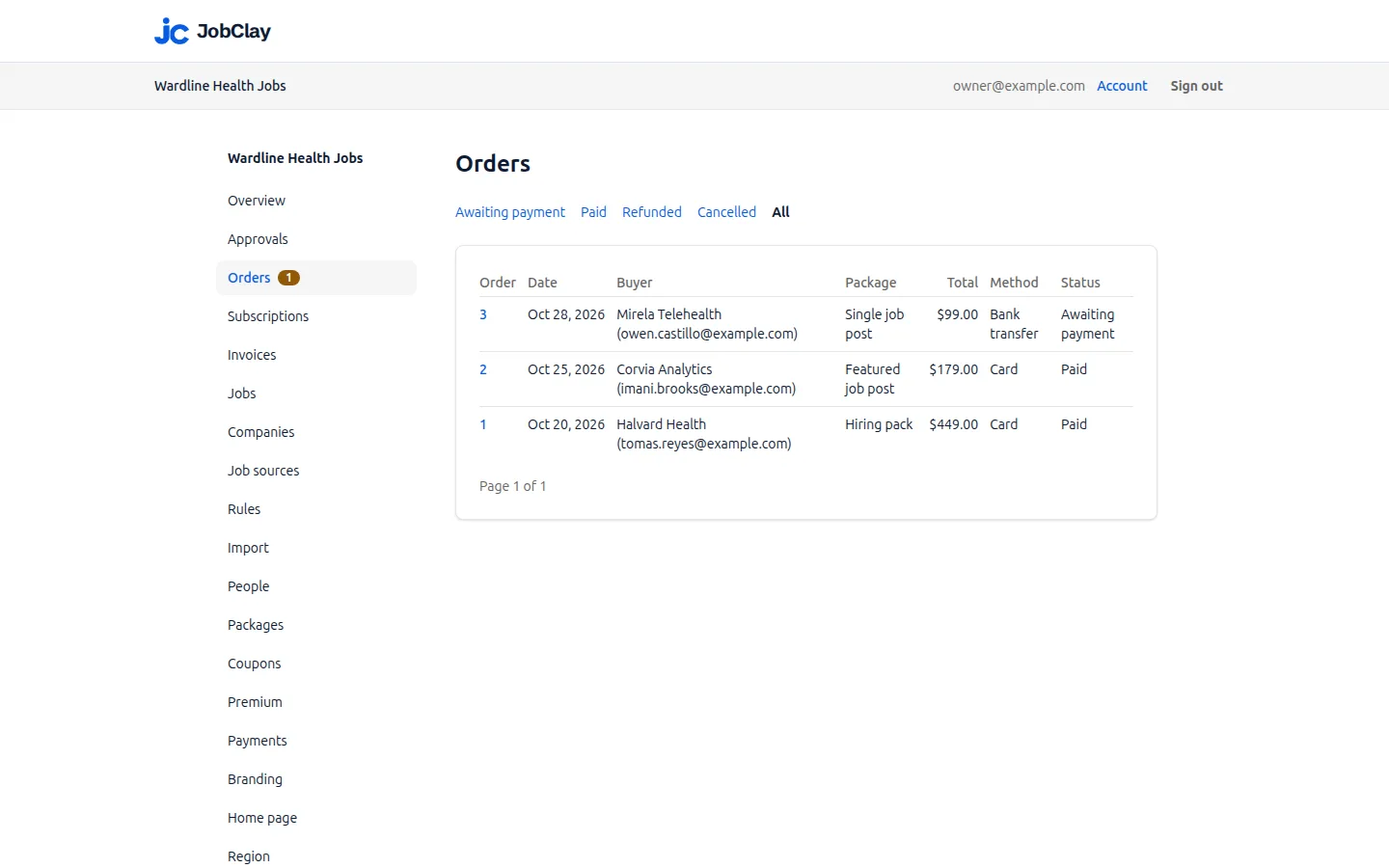
Payment is the part that can run without you. An employer buys a package of posts or a featured post in your board’s currency, paid by card straight into your own Stripe account or by bank transfer, and gets a numbered invoice. JobClay takes no share of those sales. What it cannot do is bring employers: your readers are the audience they are paying to reach, so the first sales go to the companies that already write to you.
A worked example
A weekly newsletter for supply chain managers
Say you write a weekly letter for supply chain managers, read by a few thousand people. Companies keep emailing you about openings for planners, buyers and logistics leads, and last month you pasted six of them into the issue by hand.
You start a board, and set the currency to the one you invoice in. You make a package of three posts and a second for one featured post. You let each company post one job free per calendar month, so the first sale can follow an employer who has already seen the board work.
In the console you copy the board’s feed address, which lists the 50 newest live jobs. In your newsletter tool you add a feed section to the template and paste the address. Because you also run a regional edition, you add the place to the address for that issue, so the section lists only jobs there, and you check the result in a test send.
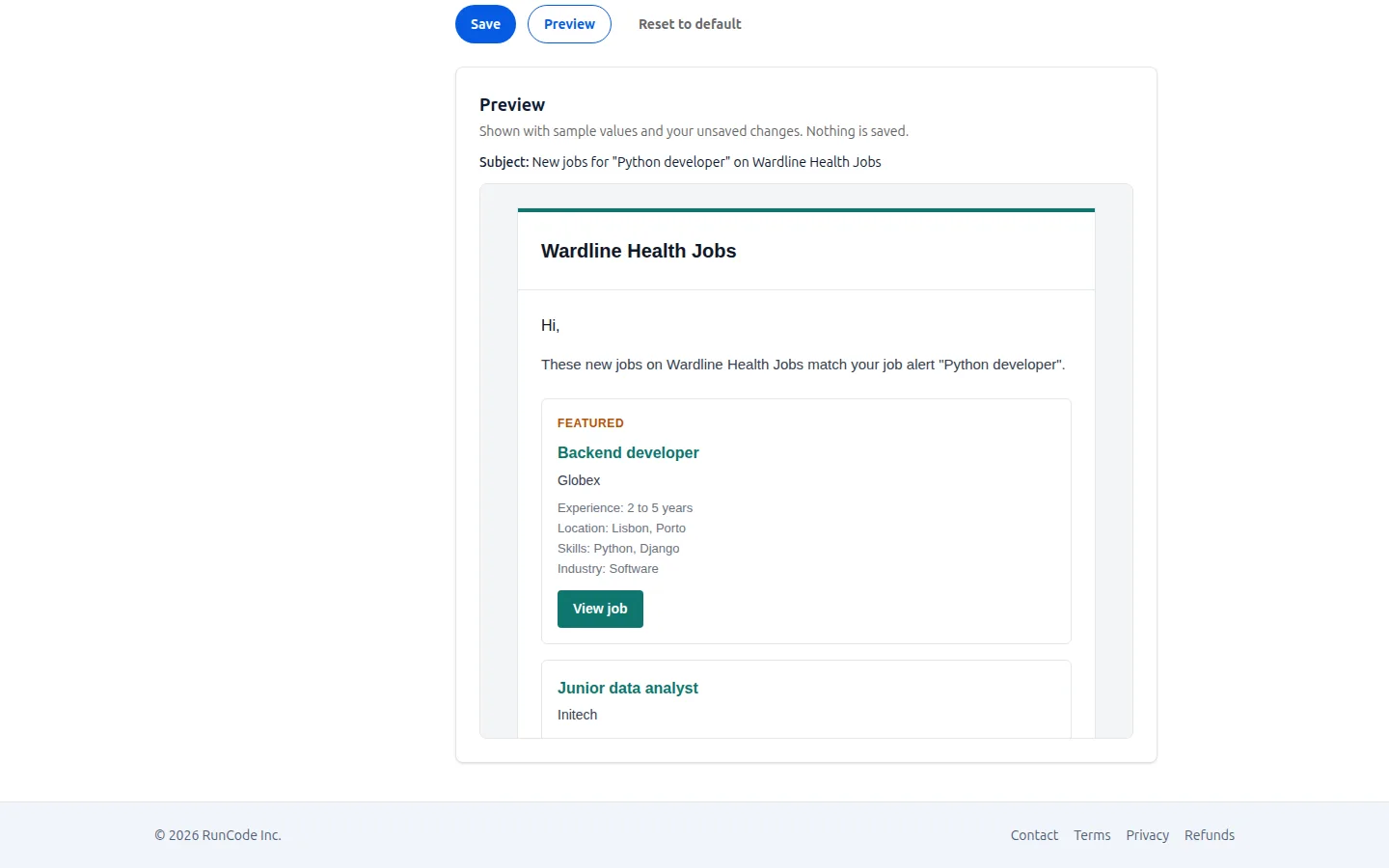
Readers who want more than your issue can sign up for a weekly job alert on the board itself, which gives them the new jobs that match each Monday, from you, without a second newsletter for you to write.
What JobClay does for it
-
A jobs feed on every board
Your board’s 50 newest live jobs as an RSS 2.0 feed at its /feed.xml address, newest first, kept for up to fifteen minutes between refreshes. It lists the jobs that are public and not hidden from search, imported ones included, and its links carry the tags utm_source=rss and utm_medium=feed so your analytics can tell the visits apart. The console’s Alerts page prints the address with a Copy button.
-
One feed per section of your issue
Add ?term= to the address for jobs with one term from your lists (a skill, an industry, a job type), ?place= for one city, state or country, or both together. The address of a landing page on your board gives you the slug to use; for a place it is the part after in- in the landing page’s address. A mistyped slug answers not found; check the section in a test send, because a misspelled parameter name is ignored and returns the whole feed.
-
Employers pay you, not JobClay
Packages hold posts, featured posts or both, priced in the currency your board sells in. Card payments go into your own Stripe account, and employers who will not pay by card can pay by bank transfer, which you mark as paid. Every paid order gets a numbered invoice.
-
Free posts as the first step
Free posting can be off, unlimited, or a set number of posts per company each calendar month. After the free posts, the company spends a credit from a package, so a sample of the board can lead to a sale without a pitch from you.
-
Approval, only if you want it
Turn on approval of new employers, of an employer’s first publication of each job, or both. Both are off by default, and a job that has been live before goes live again directly, so the queue holds what you have not yet seen.
-
Weekly job alerts for readers
Visitors sign up on your board with their email, confirm it, and choose daily or weekly. Weekly alerts go out on the board’s Monday with up to 20 matching new jobs from the past week, each mail with an unsubscribe link.
-
A free board to test it on
Every board has the feed, the Free plan included, with room for 100 live jobs and 1 job source. A new board is live at once, so you can paste the address into your newsletter tool and see the section before you commit to anything.
Where JobClay is the wrong choice
- You want your newsletter and the board joined up. JobClay has no native newsletter connection: it never sends an issue, reads your subscribers or lists a job in your tool by itself. The feed is a plain address that your newsletter tool reads on its own schedule, and the section is only as good as that tool’s feed block.
- You want to sell places in the issue. The packages sell posts on the board, and a featured post is a different product; there is no way to book or schedule a slot in an issue, and no way to make the feed list only the jobs employers paid for.
- Your newsletter tool cannot build a section from an RSS feed. Then the feed does not help you, and the board would be a page you link to from the issue.
- You want a job’s full description, salary and logo in the email. The feed carries a title, company, link, date and a short line, and sends readers to the job’s page for the rest.
How to start
- 1
Start a free board
Sign up with your email or Google, name the board and choose its address, then set its currency under Region in the console.
- 2
Set what employers pay
Make a package or two, decide how many free posts each company gets a month, and connect your Stripe account or write down your bank details for transfers. Fill in your legal name and address as well, since an order cannot be marked paid without them.
- 3
Decide how much you check
Leave approval off, or turn it on for new employers or for an employer’s first publication of each job, then post two or three jobs yourself so the board is not empty on the first day.
- 4
Put the feed in the issue
Copy the address from the console’s Alerts page, paste it into your newsletter tool’s feed block, add a term or place if one issue needs it, and send yourself a test.
- 5
Tell employers it exists
Link the board from the issue with a line to employers that says what a post costs, starting with the companies that already write to you.
Questions
Anything else? See the plans, or start a free board and look around.
Which newsletter tools can read the feed?
Any tool that builds a section from an RSS address can use it. Mailchimp’s help page “Add a Blog Post to Any Email Campaign”, read on October 30, 2026, describes a FEED merge tag that takes a feed address and a post count, which suits a jobs section. JobClay has no Mailchimp integration, nor one with any other newsletter tool. Check your own tool’s help pages for an RSS or feed block, and send a test issue before you rely on it.
What does each item in the feed contain?
A title, with the company’s name; a link to the job’s page on your board; the date it opened; and a one-line summary of the company, the places and the job type. There is no salary, logo or full description, because the feed is meant to send readers to the job’s page, where the apply button is.
Can I import my newsletter’s subscribers into the board’s job alerts?
No. Alert subscribers are people who sign up on the board with their own email and confirm it, and each mail carries an unsubscribe link. Your newsletter list stays in your newsletter tool, and the two lists are separate.
Will the feed show jobs I did not post myself?
It shows every live public job on the board, so jobs imported from companies’ hiring systems are included. A source set to keep its jobs out of search leaves them out of the feed too, and out of Google and your sitemap, though visitors still see them on the board. The feed has no switch of its own for imports.
Related
- Use cases How niche boards, newsletters, communities, local boards, staffing agencies and boards outside the US run on JobClay, and where it is the wrong choice.
- Niche job boards Start a niche job board on the Free plan, backfill it from companies’ hiring systems, keep only your niche’s jobs, and sell posts once employers come.
- Slack and Discord communities Run a job board for your Slack or Discord community: employers post and pay, you approve, and each new job can reach a channel through a Zapier or Make step.
- Job alerts Visitors sign up for job alerts by email, daily or weekly, and come back when new jobs match. Every board also has an RSS feed of its newest jobs.
- Payments Sell job posts to employers and a Premium membership to job seekers. Cards go into your own Stripe account, with no JobClay fee. Invoices are built in.
Start your job board today
Free plan, no card needed.