 JobClay
Local job boards
A local job board for your chamber, council or town group
People ask the chamber where the local jobs are, and members ask where to post them. Today the answer is a page on the website, a Facebook group or an old plugin that nobody dares to update. You would like one place for jobs in your area that members can use without a phone call.
You have also seen what goes wrong: a free sign-up form fills with spam accounts, and small employers give up on a clumsy form. Whatever you pick has to be easy for a bakery owner, quiet about spam, and something you can show your board of directors.
Free plan, no card needed.
What boards like this charge
Four local boards, as the pages linked under them read on the day shown. Three make posting free for members, and one of those prints a price for others; the fourth is a television station that charges everyone.
Vaughan Chamber of Commerce (Ontario)
Members post a job free of charge; non-members pay $50 Canadian plus HST, and a posting stays online for 30 days.
WEAU 13 News, The Local Job Board (a Wisconsin television station)
$30 (US dollars) for each listing, which runs for 30 days and is paid up front.
www.weau.com/content/misc/JobSearch-Info-380164631.html, read
Grinnell Area Chamber of Commerce (Iowa)
Posting to the job board is a free perk for members. The page prints no price for anyone else.
Junction City-Geary County Economic Development Commission (Kansas), for the chamber’s board
Its page for the Junction City Area Chamber of Commerce job board says listings are free for chamber members at the introductory pricing for the new board.
www.jcgced.com/workforce-support/junction-city-chamber-job-board, read
Each price is as the page linked under it showed it on the day given, and prices change. Page updated .
Can we make the board a perk for members only, and keep spam out?
Spam, yes. A members-only perk that checks membership for you, no. JobClay has no member sign-in: an employer signs up with its own email address or Google account, and the board has no link to your membership software. What it has is a switch. With “New employers need approval” on, a new account can prepare jobs but cannot publish until someone at the chamber approves it, so you can approve the people from member companies and leave the rest waiting. Approval is for each account, not each company, so a second recruiter from a member company waits too.
A second switch, “New jobs need approval”, holds an employer’s first publication of each job in a queue until you have read it. A job that has been live before goes live again directly, and jobs you post yourself never wait. If you say no you can leave a note, and the employer is emailed.
To skip the typing, import your member list once. The console’s import takes a CSV file of employers, creates their accounts already approved and can email each a link to set a password; leave approvals on for everyone else. It is a one-off import, not a sync, so new members come by another import or by approval.
The board cannot tell a chamber member from anyone else, so a member price is a code the chamber hands out. A coupon can take any percentage off a package, up to all of it, and be capped per employer, so members who hold a 100% code post free while others pay; anyone who learns the code can use it.
A worked example
A chamber of commerce in a county seat
Say a chamber of 400 members, run by two staff, wants a jobs page before its spring job fair, after a sign-up form that drew more spam than employers.
A staff member signs up, names the board and sets its country, currency and time zone in the console. Both approval switches go on for the first months, so new employers and each job’s first publication wait for a check.
For the money question, the chamber lets each approved company post two jobs free each calendar month, and packages can wait until a company asks for more. Employers pick the town of every job from a list of places, so a job in the county seat and one in the next town over land on separate town pages, as long as both are places the board lists.
The Free plan has room for 100 live jobs and 1 job source, whoever posted them. If the board outgrows it, the next plan, Starter, is $49 a month for 1,000 live jobs and 3 job sources.
To get people back, the chamber leaves the job alert sign-up on: a resident chooses their town and how often to hear, and confirms the address from an email. At the next meeting the director opens the console’s numbers for the last thirty days.
What the example leaves to the chamber is the people part: a board with three jobs does not draw residents, so the first weeks are phone calls to members.
What JobClay does for it
-
Approval switches against spam
Two switches in the console’s Approvals page: new employers wait for approval before they can publish, and an employer’s first publication of each job waits for a read. One queue holds both, with a note when you say no. Jobs you post yourself skip it, and a CSV import of your member list creates approved accounts and emails each a link to set a password.
-
A page for each town
Every enabled city has a page at /jobs/in-{town}/ that lists and counts its jobs; it asks search engines not to index it, and stays out of your sitemap, until it has a live public job. States and countries get pages too, and a list you switch landing pages on for (job types, say) gives each term its own page in a town (/jobs/{term}/in-{town}/).
-
Free posts for each company, each month
Free posting can be unlimited, off, or a number of posts per company each calendar month, counted in your board’s time zone. After the number, a post spends a credit the company bought as a package, in your board’s currency.
-
Job alerts for residents
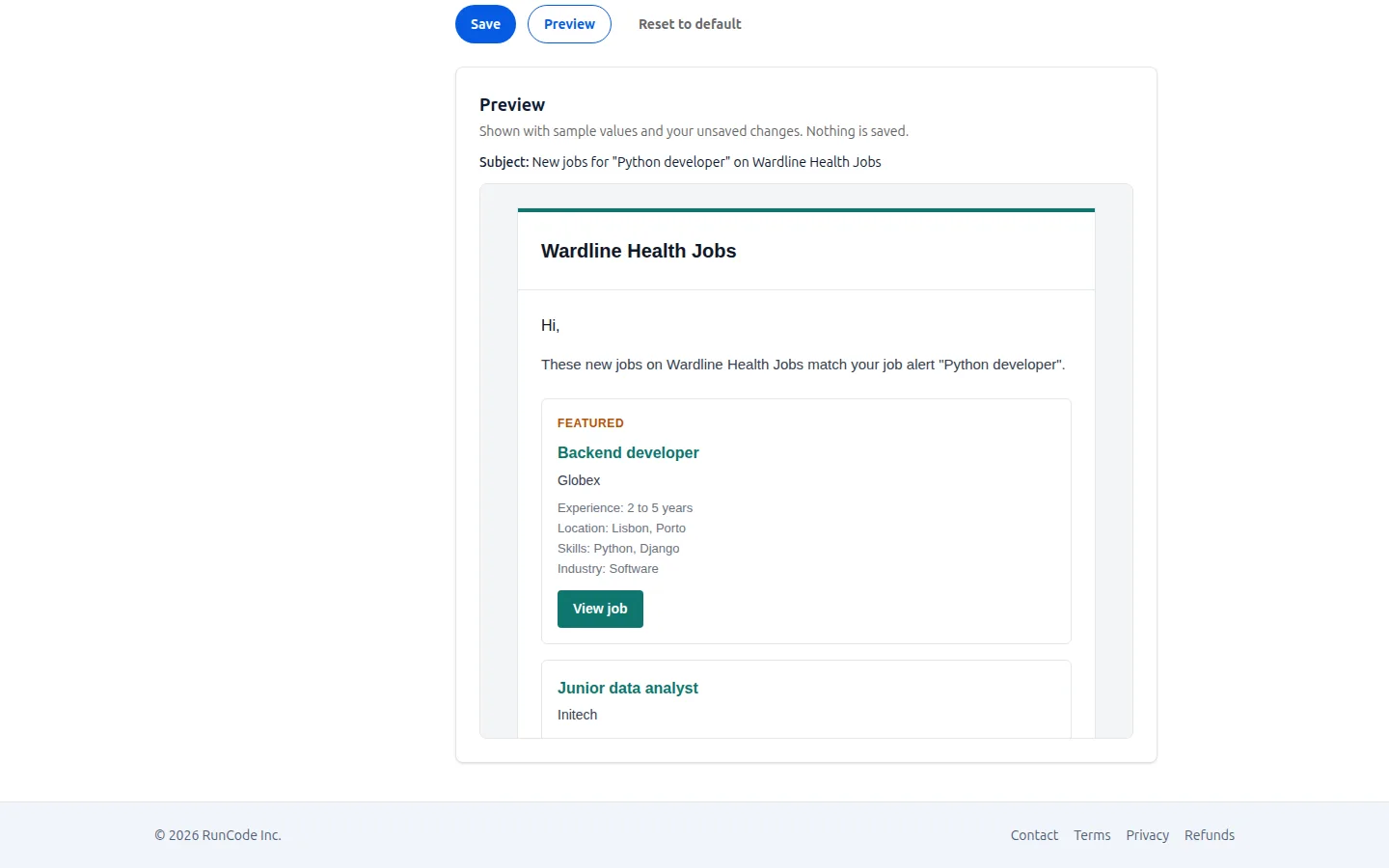
A visitor follows skills, industries and towns, daily or weekly, and confirms the address from an email. The bar at the foot of the page is on by default; a box and a popup are one switch each. The subscriber list downloads as a CSV file.
-
Your own country, currency and time zone
Each board sets its country, currency, locale and time zone, so prices, dates and the monthly count of free posts follow your area.
-
Numbers for your board of directors
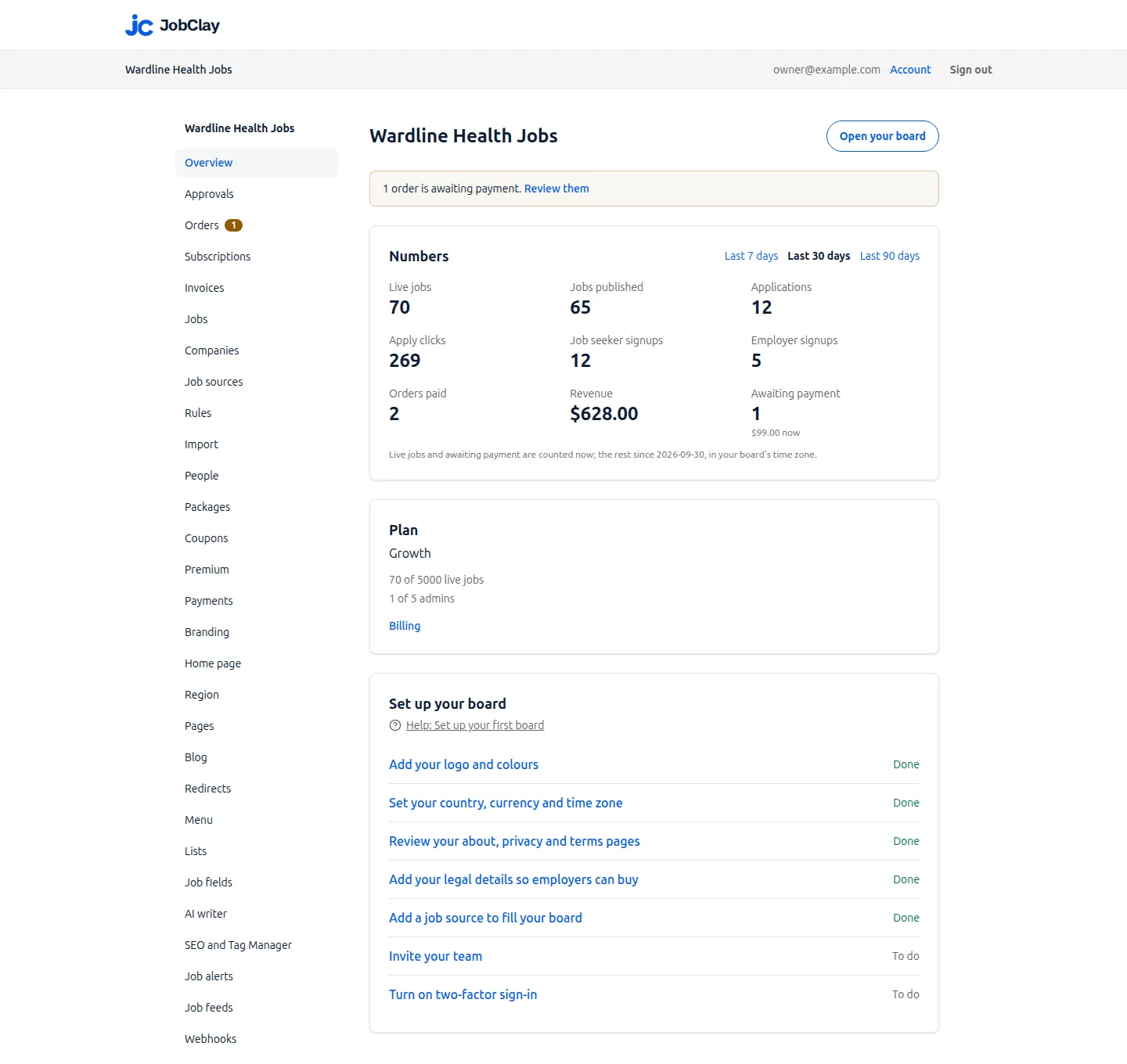
The console’s front page shows live jobs, jobs published, applications, apply clicks, signups, orders paid and revenue, for the last 7, 30 or 90 days.
Where JobClay is the wrong choice
- Membership must be checked automatically. There is no member sign-in, so the board cannot tell a member from anyone else. The approval queue is a person comparing names with a list, and a member price is a coupon code that anyone holding it can use.
- You need reports for funders. The numbers are the ones listed above, for a board as a whole. There is no report for one employer, one town or one grant period, and none that emails itself to your leaders.
- Your area is a village or a neighbourhood. A job has a city, from a list of places of about a thousand people or more that you cannot add to, and pages exist for cities, states and countries, not for counties, neighbourhoods or a radius around a place.
How to start
- 1
Start the board
Sign up, name the board and choose its address, then set your country, currency and time zone.
- 2
Turn on approvals
Switch on approval for new employers, and for new jobs while the board is young; import your member list if you have one.
- 3
Set what posting costs
Choose free posts per company each month, and add a package for those who want more.
- 4
Tell your members
Link the page for your town from your website and newsletter, and keep the job alert sign-up on.
Questions
Anything else? See the plans, or start a free board and look around.
Can only our members post?
Only the employers you approve can publish, if you turn approval on, so you can approve members only, by hand or by importing your member list once. The board does not check membership itself, since it has no member sign-in, and every approved employer gets the same free posts. A different price for members is a coupon code you hand out.
How do we keep spam accounts from posting?
Turn on approval for new employers. A new account can prepare jobs but cannot publish until you approve it, and an account you do not approve stays out. Accounts that have not confirmed their email never reach the queue. You can also turn on approval for each employer’s first publication of a job.
Do residents need an account to hear about jobs?
No. A resident signs up for job alerts with an email address, picks what to follow, and confirms the address from an email.
Which towns get a page?
Every enabled city has one, but the page asks search engines not to index it and stays out of your sitemap until it has a live public job. The cities come from a worldwide list of places of about a thousand people or more, and you cannot add one. States, countries and combinations with a list you switch landing pages on for work the same way.
Can we charge businesses that are not members?
You can charge every employer or none. Free posts per company each month come first, then a package in your currency, paid by card into your own Stripe account or by bank transfer. Every approved employer pays the same, unless you hand members a coupon code.
What does a board cost?
A board can stay on the Free plan, with no end date and lower limits than the paid plans; the pricing page lists them.
Related
- Use cases How niche boards, newsletters, communities, local boards, staffing agencies and boards outside the US run on JobClay, and where it is the wrong choice.
- Slack and Discord communities Run a job board for your Slack or Discord community: employers post and pay, you approve, and each new job can reach a channel through a Zapier or Make step.
- Job boards outside the US Start a job portal or jobs board in your own country: salaries and prices in your currency, local dates, bank transfer, a tax line and cities from your country.
- Staffing agencies Run a recruitment agency job board on your own domain: post clients’ jobs, ask screening questions, move applicants through stages, and export them as CSV.
- Job alerts Visitors sign up for job alerts by email, daily or weekly, and come back when new jobs match. Every board also has an RSS feed of its newest jobs.
- SEO Job pages carry the data Google reads, new jobs reach IndexNow in minutes, and cities and remote work get landing pages. Sitemaps and redirects are built in.
Start your job board today
Free plan, no card needed.