 JobClay
Staffing agencies
A job board for your staffing agency, on your own domain
Every month the agency pays a big job site to put your clients’ openings in front of people, and every month those applicants land in someone else’s system, with the site’s name on the page. You would rather the candidates met your agency: your name in the address bar, your jobs in Google, and the applicants where your own team can reach them.
The other way to get there has its own cost. A WordPress theme means updates, plugins and a developer on call, and you are in the staffing business, not the website business. What you want is a board that runs itself, takes your clients’ jobs, and gives the people who apply a proper place to do it.
Free plan, no card needed.
What a big job site charges to reach candidates
An agency pays to reach candidates, and a big job site charges for each reach or for each look at a resume. These prices are printed on the publisher’s own page, quoted as read on the day shown; a board of your own is the other way to reach them, and the compare page sets out what board software costs.
Monster+ Pro (reaching and searching candidates)
$299 a month, which includes 299 credits; a credit is worth $1 and goes toward clicks on your promoted jobs or resume views, and each view of a resume costs 2 credits.
hiring.monster.com, read
Monster+ Standard (promoted jobs)
Promoted jobs starting at $8 a day.
hiring.monster.com, read
Each price is as the page linked under it showed it on the day given, and prices change. Page updated .
Is a board without a database of candidates’ resumes any use to an agency?
It depends on how the agency finds people. A board on JobClay is a place where candidates find your jobs and apply; it is not a database you search. There is no searchable database of candidates’ resumes, no messaging between you and a candidate, and no sync to an applicant tracking system. If your recruiters live in a resume search, this is not that tool.
If your work starts with the jobs, it holds up. Every application, your clients’ jobs included, asks your screening questions and can be sent to a Zapier or Make step as it arrives, with the applicant’s name, email, answers and a mark for whether they meet your requirements. Seven stages and the CSV file need jobs posted for an employer account, so your own recruiters’ jobs have them and a client’s job with no account does not.
A worked example
An agency that places accountants
Say your agency places accountants, from bookkeepers to controllers, with about thirty small firms in one region. Today you list their openings on a big site and again on your own web page. You want one place: a board under your name, with their jobs, to which you can point every candidate.
The board answers on your own domain, such as jobs.youragency.com, from Starter, $49 a month, the cheapest plan with it.
You add each client as a company with its name, website and logo, and post its jobs from the console, as a client with no account of its own. Those jobs take applications by email or at a link, since a company with no account on the board has no applicant list to hold them. For your own recruiters, who sign up as employers on the board or are invited as a company’s admin from the console, jobs posted for their accounts take applications on the board, with the stages and the CSV.
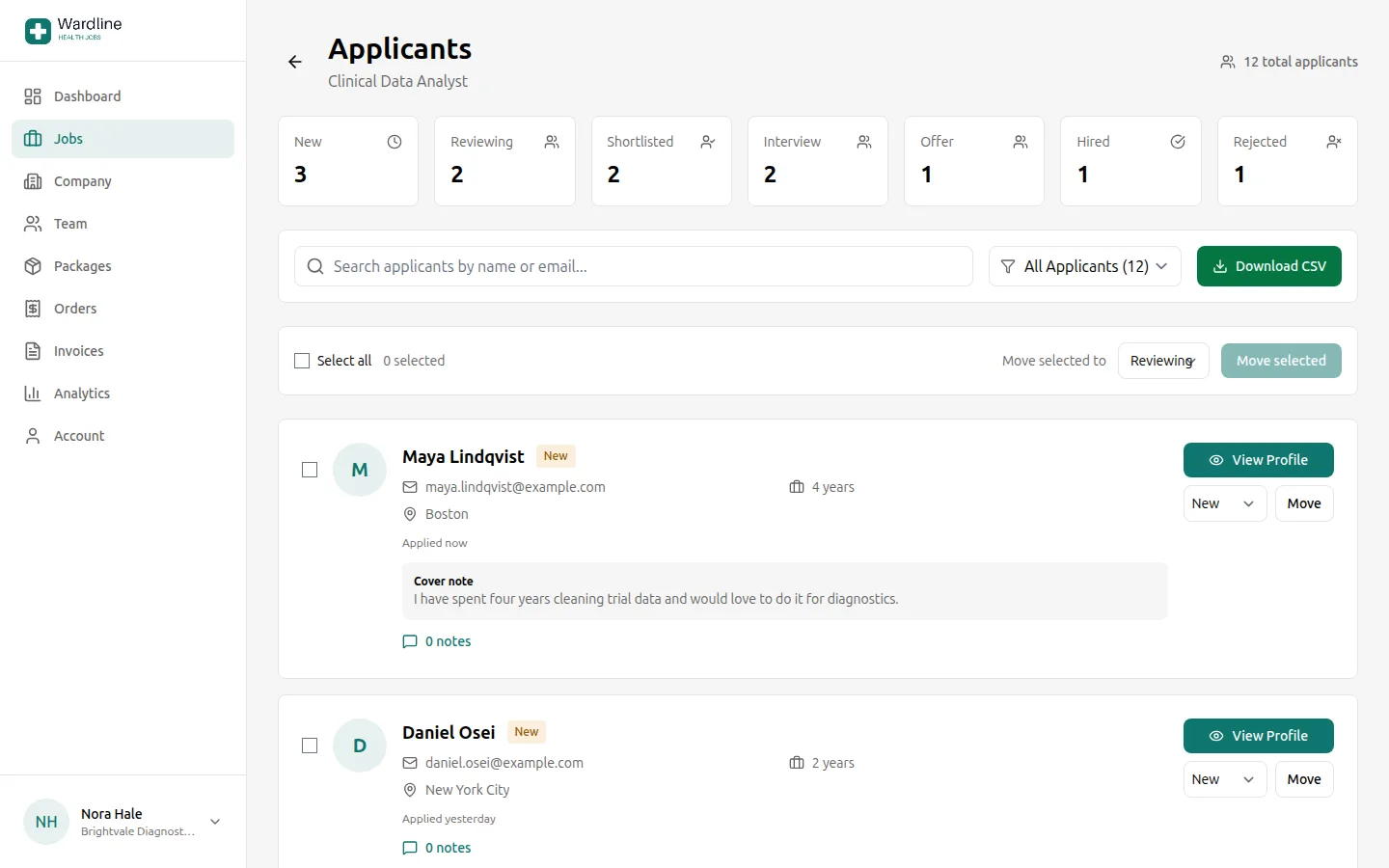
Each job gets screening questions: a yes or no on whether the candidate holds a CPA licence (a no marks them as not meeting the requirements), a choice for years of experience, and a text answer for the software they know. A recruiter opens the applicants to a job, sees who meets the requirements, and moves the shortlist to Interview.
Your clients’ jobs can also travel on. Turn on the job feed and give the three feed addresses to Indeed, Jooble and Talent.com, and those sites can pick up your jobs from the board, as far as each one decides to list them. If your own system publishes an XML feed, add it as a source, so your jobs appear without being typed again; jobs that come in this way send candidates to the link they carry, with no screening questions, stages or application event, and reach the aggregator feeds only if you switch imports on.
What this setup does not do is find the accountants who have not applied: nobody can search a pool of resumes here. It collects the people who come for your jobs.
What JobClay does for it
-
Your own domain
Connect a domain or subdomain you own, such as jobs.youragency.com. The console lists the DNS records to add, checks them, and you make the domain the main address once it shows as connected. The cheapest plan with it is Starter, $49 a month.
-
Clients’ jobs, posted for them
In the console you add a client company, and post its jobs for it or for an employer account. A job for a company with no account applies by email or at a link; the console can invite the client’s contact to take the company over later, and then its jobs have an employer to manage them.
-
Screening questions with requirements
Each job can ask up to ten questions: yes or no, a choice, or free text. A yes or no question, or a choice option, can be a requirement, and each application is marked as meeting the requirements or not. Candidates never see the requirements.
-
Seven applicant stages and a CSV export
Applicants move through New, Reviewing, Shortlisted, Interview, Offer, Hired and Rejected, singly or several at a time, with private notes the candidate never sees. The applicants of a job download as a CSV file, with the screening answers as columns.
-
An event when someone applies
Add a webhook address in the console and each application is sent to it as an application.received event, with the applicant’s name and email, the job, their answers and where to see them. It is an event your Zapier or Make step can receive, to add a row to a sheet or tell a recruiter. The resume, cover note and phone number are not in it.
-
Jobs in from an XML feed
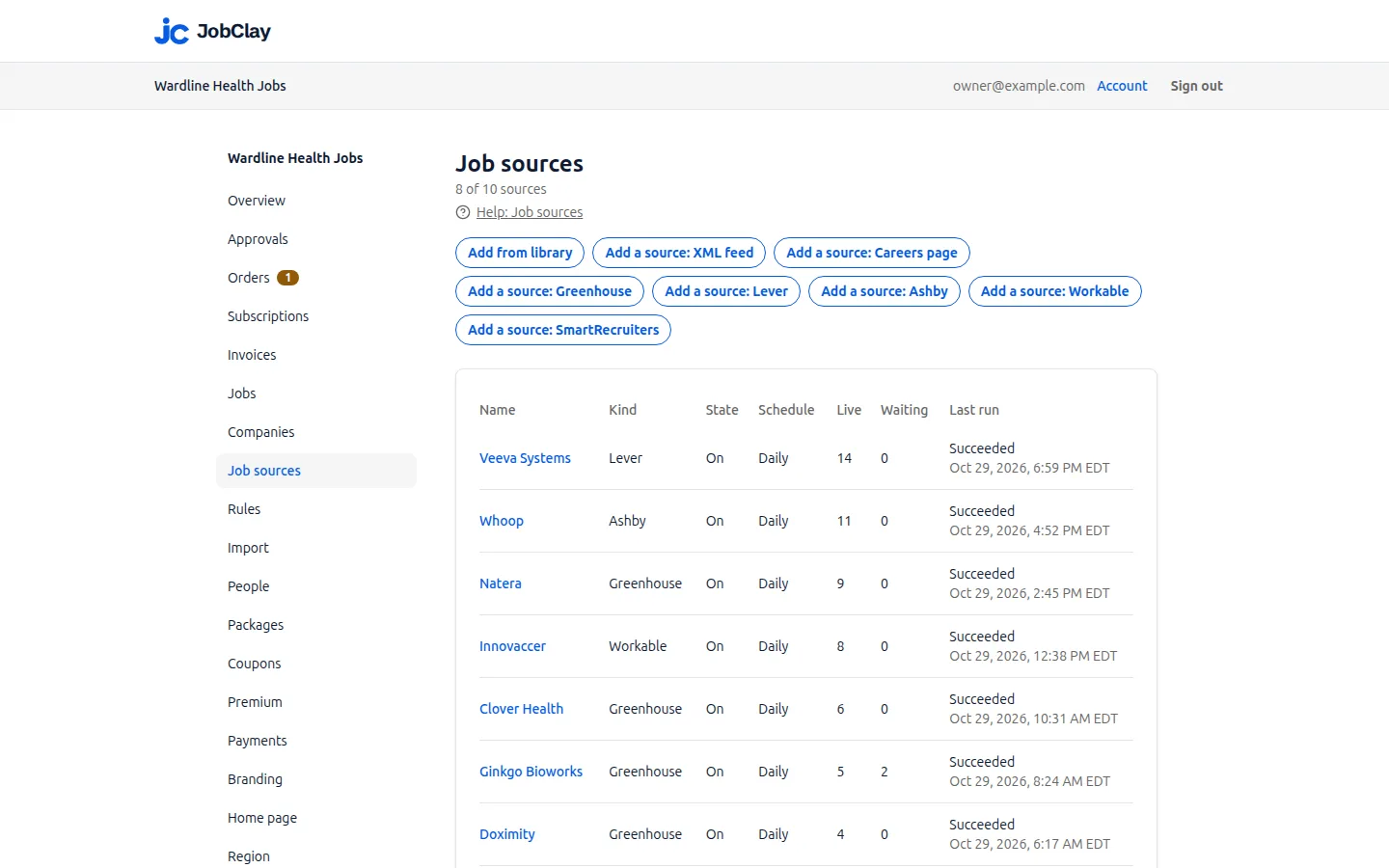
A job source can be an XML feed in Indeed’s format, which needs no setup, or another layout you map field by field. The jobs it lists appear on the board and close when the feed stops listing them.
-
Jobs out to aggregators
The board’s job feed is served in the XML formats of Indeed, Jooble and Talent.com, at /feeds/indeed.xml, /feeds/jooble.xml and /feeds/talent.xml. The three carry live jobs that employers and you post, and imported jobs only if you switch them on, and never the address applications go to. A separate RSS feed at /feed.xml lists the 50 newest live public jobs, imports included.
Where JobClay is the wrong choice
- Your recruiters search resumes all day. There is no searchable database of candidates’ resumes on JobClay, so a person who has not applied to one of your jobs is not on the board for you to find.
- You need to message candidates or write to them in bulk from the board. There is no candidate messaging; the contact you get is the applicant’s email and phone number in the CSV, and the email in the webhook.
- Your applicants must flow into an applicant tracking system as they arrive. There is no ATS sync. A webhook into a Zapier or Make step can carry an application out, but what happens after that is yours to build.
How to start
- 1
Start the board and add clients
Sign up, name the board, and add each client as a company with its logo. Post their jobs, or have your own recruiters sign up as employers.
- 2
Choose a plan with your own domain
Then add jobs.youragency.com on the Domains page, put the DNS records it lists where the domain is managed, and make it the main address once it shows as connected.
- 3
Ask the questions that matter
Give each job the screening questions and requirements that sort the candidates, and decide which answers mark an application Does not meet requirements.
- 4
Connect the rest
Add a webhook for new applications, turn on the job feed for Indeed, Jooble or Talent.com, and add any client feed as a source.
Questions
Anything else? See the plans, or start a free board and look around.
Can my agency post jobs for clients who have no account?
Yes. The console adds a client as a company and posts its jobs for it. Such a job applies by email or at a link, because there is no employer account on the board to hold applicants. If the client later accepts an invitation to run its company page, its jobs have an employer.
Who sees the applicants?
For a job posted for an employer account, the employer it was posted for and the admins of that employer’s company: they see the applicants, move them through the stages, keep private notes and download the CSV. A recruiter who is not an admin sees only their own jobs. A client you invite to take over its company page gets its applicants with it.
What does the webhook send when someone applies?
An application.received event with the applicant’s first name, last name and email, the job and its company, the screening answers as given, whether the candidate meets your requirements, and a link to the applicants. It never includes the resume, the cover note, the phone number or the IP address.
Can I pull jobs in from a client’s system?
If your own system, or a client’s, publishes an XML feed, yes: add it as a source, in Indeed’s format or with a mapping. Greenhouse, Lever, Ashby, Workable and SmartRecruiters boards can be added too, and each source counts against your plan’s limit. Imported jobs apply at the source, so they have no screening questions, stages or application event, and they reach the aggregator feeds only if you switch imports on.
Do clients pay to post on my board?
If you want them to. Free posts can be off or a set number per company a month, and a package, priced in your board’s currency, sells more; card payments go into your own Stripe account.
Related
- Use cases How niche boards, newsletters, communities, local boards, staffing agencies and boards outside the US run on JobClay, and where it is the wrong choice.
- Niche job boards Start a niche job board on the Free plan, backfill it from companies’ hiring systems, keep only your niche’s jobs, and sell posts once employers come.
- Local job boards A local job board for a chamber of commerce, council or town group: approve employers against spam, a page for each town, free posts each month and job alerts.
- Employers Employers get company profiles, rich-text job posts, applicant stages, private notes, CSV export and teams, in their own area of your job board.
- Help: Use your own domain Move your board from its jobclay.app address to a domain you own: the DNS records to add, the certificate, how long it takes and what to check.
- Compare Job board software prices side by side: entry price, free plan or trial, cut of employer payments and how employers pay, from each vendor’s own pricing page.
Start your job board today
Free plan, no card needed.