 JobClay
Ashby
Can I fill my job board with jobs from companies on Ashby?
A company that hires on Ashby publishes its open roles on a public job board at jobs.ashbyhq.com. Add the company as a job source and JobClay reads that board for you: its openings appear on your own job board, each linking to the company’s Ashby application, and close when the company takes them down. Nobody at the company signs up or gives you access.
Two things to know about Ashby: its jobs name no company, so you give the company’s name once, and it publishes no experience level, so a rule on the job title marks junior roles entry level.
Free plan, no card needed.
At a glance
| What you enter | The board name, such as acme, or its full address, https://jobs.ashbyhq.com/acme, and the company’s name, which Ashby leaves out of its jobs. |
|---|---|
| What arrives | Title, description, places, work mode, job type, posted date, department, team and the apply link, with pay when the posting shows it. |
| Entry level | Ashby publishes no experience level, so a source rule marks jobs entry level by their title. |
| How often | Hourly, daily or weekly. A new source starts daily, and Run now reads it at once, with 10 minutes between presses. |
| When a job closes | On the first complete read that no longer lists it. A board that suddenly reads empty closes nothing until 3 clean runs in a row, spread over at least 24 hours, all find it empty. |
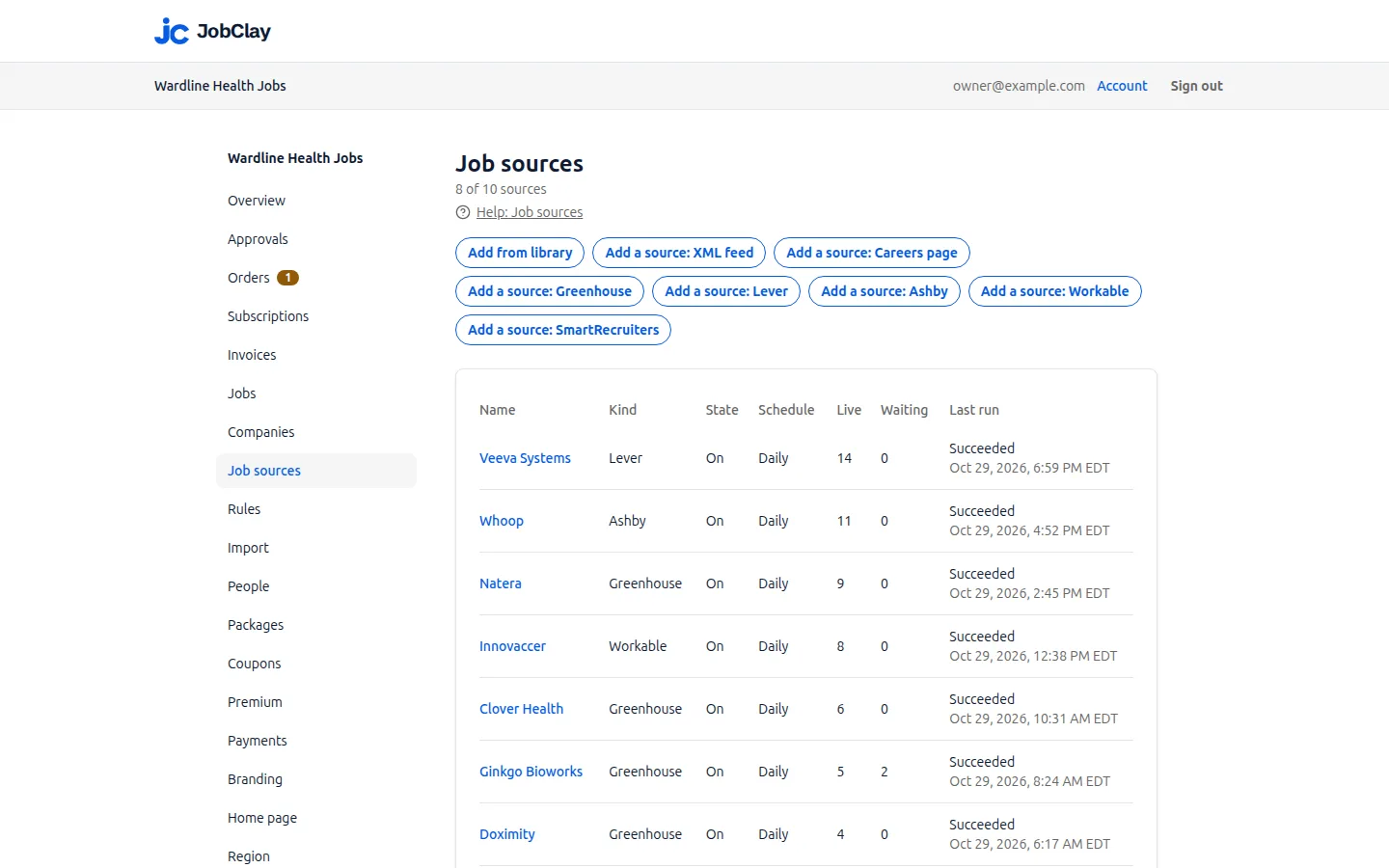
| Job sources | Each Ashby board you add is one job source: 1 on Free, 3 on Starter, 10 on Growth and 30 on Scale. |
Page updated .
What Ashby’s public job board sends
Ashby documents a Job Postings API that returns a company’s currently published postings, so the company can fill a careers page of its own. JobClay reads that API with the compensation details included: one request a run brings every job on the board.
A posting Ashby marks as unlisted, reachable only by its direct link, stays off your board. The rest arrive as below.
- The title, and the description as Ashby’s HTML, or its plain text when the HTML is empty.
- The places: the posting’s location and its secondary locations, as city, region and country where Ashby gives an address.
- The work mode from Ashby’s workplace type: on-site, hybrid or remote. A posting without one is remote when Ashby flags it remote; failing that, a place that reads Remote or Hybrid sets the mode, and any other posting is in-office.
- The job type: Ashby’s full-time, part-time, intern, contract and temporary types each give the job your job type list’s term for that type.
- The posted date, from the time Ashby last published the posting.
- The department and the team, kept as source fields your rules can read.
- The apply link to Ashby’s application page, so candidates apply through the company’s own Ashby.
Sources
- Ashby: Ashby Job Postings API. Read on .
When does an Ashby job show its pay?
In Ashby, a company decides for each job and posting whether candidates see a pay summary on its job board. JobClay follows that choice: when a posting comes with its pay set to hidden, the pay stays off your board.
Where pay is shown, JobClay takes the salary part, not equity or a bonus, and keeps it when it fits your board: a range in the board’s own currency, per year or per month. A salary in another currency, or per week, day or hour, arrives without pay rather than converted.
Salary USD 120000 to 150000, 1 YEAR
  kept, per year
Salary USD 9000 to 11000, 1 MONTH
  kept, per month
Salary USD 55 to 70, 1 HOUR
  left out: per hour
Salary EUR 90000 to 110000, 1 YEAR
  left out: another currency
Pay hidden on the job board
  left out: the company hides it
Sources
- Ashby: Compensation. Read on .
- Ashby: Ashby Job Postings API. Read on .
Give the company a name, or pin one of yours
Ashby’s postings carry no company name, so an Ashby source asks for one. Type it under Company name and every job from that board goes to your board’s company of that name, which JobClay makes if the board has none. Or pin a company you already have under Company, and the jobs go to it instead.
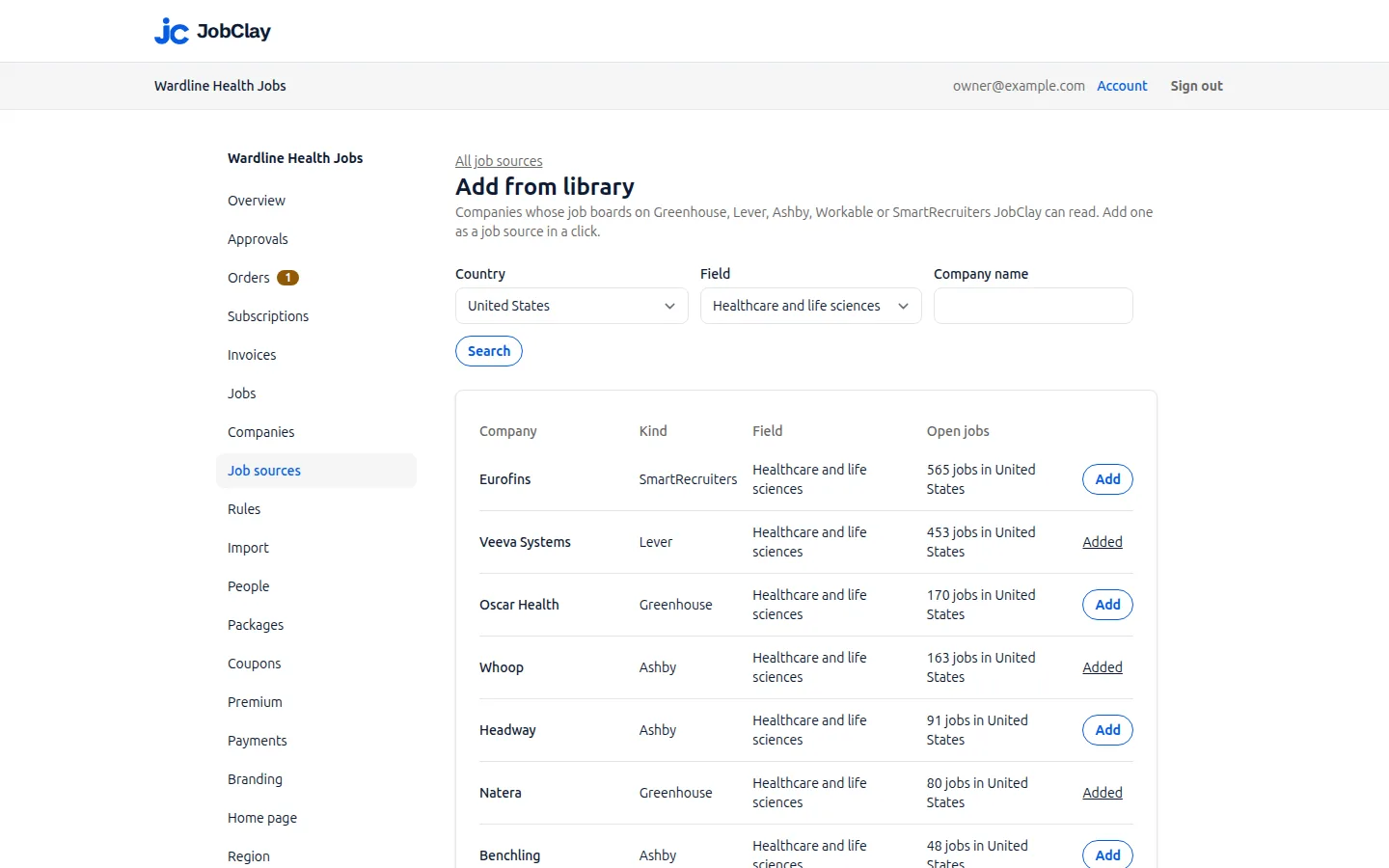
A company added from the source library brings its name along, so there is nothing to type. Without a name or a pinned company, the source is refused when you save it.
Mark Ashby’s junior roles entry level with a rule
The fields Ashby’s API lists cover the title, department, team, employment type, places, workplace, publish date, links, descriptions and pay, and none of them is an experience level. So Ashby jobs arrive stating no experience: none says Entry level on its page, and the board’s Entry level jobs list leaves them out until something marks them. Ashby’s intern type sets a job’s type, yet does not mark it entry level either.
A rule does it. On the Rules page, choose the Ashby source, add a Title condition with the words your junior roles use, and pick Mark as entry level. Words match whole, with case and accents ignored, so intern finds Intern but not Internal Tools Engineer. Press Test to see which recent imports it would mark, then Add rule. New and changed jobs get the mark from then on; Re-apply to existing jobs marks those already live.
Re-apply reaches live jobs only: a job still waiting for room or for your approval stays unmarked until its posting changes, or until it is live and you press Re-apply again. So make the rule before a new source’s first run: add the source with On unticked, add the rule, then switch the source on. A company added from the library starts its first run shortly after Add, so press Re-apply again once its waiting jobs go live.
Source  Acme (Ashby)
Field   Title
Words   junior, graduate,
        new grad, intern,
        internship, apprentice
Then    Mark as entry level

As the Rules page lists it:
When the title has junior or graduate or new grad or intern or internship or apprentice, from Acme (Ashby): mark it as entry level
Sources
- Ashby: Ashby Job Postings API. Read on .
How the board stays in step with Ashby
Each source runs on its schedule. Run now on the source’s page reads it at once, and Runs lists recent reads with what each found and closed.
When a complete read no longer lists a job, the job closes on that run, unless another of your sources still lists the same opening. A job that had been live closes as expired and keeps its page; one that never went live gets no public page. If the posting reappears on Ashby, the job comes back.
A read that fails closes nothing. Nor does a read that lists nothing while jobs are on your board, since an Ashby board that reads empty may be a glitch: only when 3 clean runs in a row, the first at least 24 hours before the last, all find it empty do its jobs close.
Set it up
- 1
Find the board name
Open the company’s careers page on Ashby. The board name is the last part of its address, such as acme in https://jobs.ashbyhq.com/acme.
- 2
Open the add form
On Job sources, press Add a source: Ashby. To file the jobs under a company you already have, search with Find a company now, since it reloads the form.
- 3
Add the source switched off
Put the board name, or the full https:// address, into Board name, and the company’s name into Company name unless you picked one under Company. Choose how often to read it, untick On and press Add source.
- 4
Make the entry level rule
On Rules, choose the Ashby source, add a Title condition with your junior words, choose Mark as entry level, press Test, then Add rule.
- 5
Switch the source on
Open the source, tick On and press Save. Its first run starts shortly, with the rule already in place.
- 6
Check the first run
Under Runs, see how many jobs came in and any posting that could not be read.
What it does not do
- JobClay reads Ashby’s public job board only. It does not sign in to a company’s Ashby account, sees no unlisted posting, and sends nothing back to Ashby.
- Ashby sends no experience level, so entry level depends on a job’s title: a junior role whose title holds none of your rule’s words stays unmarked.
- Candidates apply on Ashby’s own form, so applications reach the company’s Ashby, never your board.
Questions
Anything else? See the plans, or start a free board and look around.
What if I type the wrong board name?
The source saves, since JobClay checks an Ashby name on its first run rather than on save. That run fails and its entry under Runs says Ashby has no board of that name; correct the name under Settings, press Save, then Run now.
Why did an Ashby job arrive without its salary?
The posting may have no pay set in Ashby, or may hide it. Otherwise the salary is in a currency other than your board’s or per week, day or hour, the posting gives only equity or a bonus, or the figure is too large to store. The job is still imported, without pay.
Why is an Ashby job I can open by its link missing from my board?
Ashby lets a company keep a posting unlisted, so it opens from its direct link but stays off the company’s job board. JobClay brings in listed postings only, so an unlisted one stays off your board too until the company lists it.
What happens if the company leaves Ashby?
Its Ashby board stops answering or reads empty. Failed runs close nothing and mark the source Failing since on Job sources; empty runs close its jobs only after the safeguard above. Add the company again from its new system, then delete the Ashby source: its live and waiting jobs close with it, unless another source lists the same opening.
Related
- Integrations The connections a JobClay board has: your website and domain, jobs in from hiring systems and feeds, jobs out to aggregators and Google, payments and webhooks.
- Greenhouse Fill your job board from companies’ public Greenhouse job boards: what JobClay reads, when pay shows, EU boards, entry level rules and when jobs close.
- Lever Put a company’s open roles from its public Lever job board on your own job board: the US or EU host, the company name, work mode, pay intervals and entry level.
- Workable Bring jobs from any company’s public Workable careers page into your JobClay board, with entry level read from its experience field and rules for the rest.
- Job sources Fill a new job board from a company library, Greenhouse, Lever, Ashby, Workable, SmartRecruiters, XML feeds and careers pages, with rules and duplicate checks.
- Help: Job sources Fill your board with jobs from the source library, hiring systems, XML feeds and careers pages, and choose which go live with settings, rules and approval.
Start your job board today
Free plan, no card needed.