 JobClay
Workable
How do I bring jobs from companies on Workable onto my job board?
Companies that hire on Workable publish their open jobs on a public job board: a careers page at apply.workable.com, ending in the company’s name. Paste that address into JobClay and the company’s jobs fill your own board. Each brings Workable’s own labels with it, its department, function, industry, education and experience level, kept for your rules to read.
Workable also says when a job suits beginners. A job whose experience level is Entry level or Internship arrives marked entry level, and the company’s name comes from Workable too, so a source needs only the address.
Free plan, no card needed.
At a glance
| What you enter | The account name, such as acme, or the full address, https://apply.workable.com/acme or https://acme.workable.com. The company’s name comes from Workable. |
|---|---|
| What arrives | Title, description, places, remote or not, job type, posted date and the apply link, plus five Workable fields: department, function, industry, education and experience. |
| Entry level | Marked by itself when Workable gives the experience level Entry level or Internship; rules can mark more. |
| How often | Every hour, day or week, chosen per source. Sources start daily, and Run now reads one on demand, at most once in 10 minutes. |
| When a job closes | As soon as a full read of the account leaves it out. If the whole account reads empty, its jobs stay until 3 clean runs in a row, 24 hours or more from first to last, agree. |
| Pay | None. JobClay reads no salary from Workable, so its jobs arrive without pay. |
Page updated .
What JobClay reads from Workable
Workable gives each company a careers page at apply.workable.com followed by the company’s name, and says the page updates by itself as the company posts or removes jobs. Workable’s help also describes public addresses that list a company’s published jobs, beside an API with tokens meant for the company’s own developers.
JobClay reads a public list of the company’s jobs on apply.workable.com, so the company hands you nothing: no token and no Workable account. One request a run brings every job in the account with its details. When the list carries a job more than once, once for each of its places, JobClay makes it one job with every place, and a place the company hides on Workable is left out.
- The title and description, and the job’s own page on Workable.
- The apply link to the job’s Workable application, so candidates apply there and the company receives them in Workable.
- Places: the city, region and country of each place the job is open in.
- Remote: a job Workable marks as telecommuting arrives remote. Any other is remote or hybrid only when one of its places reads Remote or Hybrid, and in-office otherwise.
- Job type: Workable’s employment type gives the term of your job type list set for that type.
- The posted date: the day Workable published the job.
- The company: the account’s name on Workable. Its jobs go to your board’s company of that name, which JobClay makes if the board has none.
Sources
Workable’s five job fields, ready for your rules
When a company creates a job, Workable’s job editor lets it choose the company’s industry, the job’s function and its experience level, the last from six options: Internship, Entry Level, Associate, Mid-Senior Level, Director and Executive. JobClay keeps those three, with the job’s department and education where Workable gives them, as source fields.
Source fields are not printed on the job page; they are there for rules. On the Rules page, a condition on A source field names the field, such as function or industry, and the words to look for. A board can then sort Workable jobs by Workable’s own labels rather than guess from titles: give a term to every job in one industry, or skip a function your board does not cover.
How entry level arrives from Workable
A job whose experience level is Entry level or Internship arrives marked entry level: its page says Entry level, and the board’s Entry level jobs list includes it. JobClay compares the whole value with case set aside, so Associate and Mid-Senior level jobs stay unmarked, and so does a job the company gave no level.
Your board may draw the line elsewhere. A graduate board might count Associate roles as entry level too, and want nothing at Director or Executive level. Two rules on the experience field do both. A rule only ever adds the mark, so the jobs Workable marked stay marked, and a skipped job never reaches the board.
Rule 1  Field  A source field
        Name   experience
        Words  Associate
        Then   Mark as entry level

Rule 2  Field  A source field
        Name   experience
        Words  Director, Executive
        Then   Skip the job

As the Rules page lists them:
When the experience field has Associate: mark it as entry level
When the experience field has Director or Executive: skip itHybrid work and pay: what JobClay does not read from Workable
JobClay reads one work mode signal from Workable: whether the job is telecommuting. A telecommuting job arrives remote, and a hybrid one arrives in-office unless one of its places reads Hybrid. If the companies you list write hybrid into their descriptions, a rule that sets the work mode to Hybrid when the description has hybrid puts those jobs right.
Nor does JobClay read pay from Workable, so its jobs show no salary on your board.
Keeping your board in step with the account
A Workable source is read on the schedule you give it: hourly, daily or weekly. Each read fetches the whole account, adds new jobs, rewrites changed ones and leaves the rest.
A job drops off your board on the first full read that leaves it out, unless another of your sources lists the same opening; if it was live, it closes as expired and keeps its page. When the job reappears on Workable, it comes back.
A failed read closes nothing, and neither does a read that finds the account empty while its jobs are on your board. Those jobs close only when 3 clean runs in a row find it empty, the first at least 24 hours before the last.
Each company on Workable you add takes one of your plan’s job sources, whether it is switched on or off: Free 1, Starter 3, Growth 10 and Scale 30. After a move to a plan with fewer, the newest sources pause and none is deleted.
Set it up
- 1
Copy the careers page address
Open the company’s careers page on Workable and copy its full address from the browser, such as https://apply.workable.com/acme.
- 2
Add the source
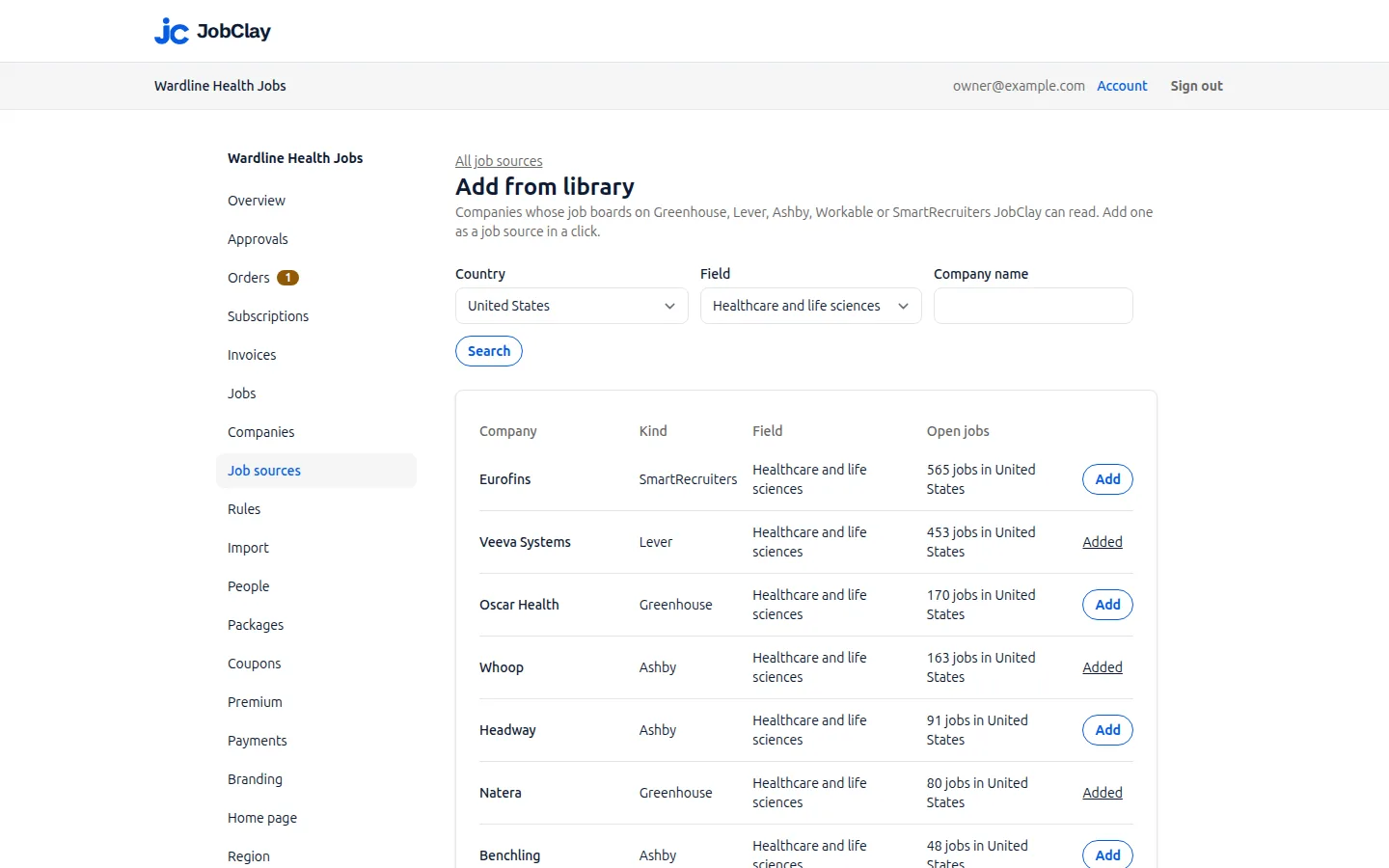
On Job sources, press Add a source: Workable, paste the address into Board name and choose a schedule. A company in the source library needs only Add from library and Add.
- 3
Narrow it if you need to
Tick Only jobs in your board’s country, add words to keep or skip, or set Most live jobs from this source, then press Add source.
- 4
Write rules on Workable’s fields
On Rules, choose A source field, name experience, function or industry, type the words, pick what the rule does, press Test, then Add rule.
- 5
Check the first run
Open the source, where Runs shows how many jobs came in. A rule added later reaches live jobs through Re-apply to existing jobs on Rules; jobs still waiting for room or approval need it pressed again once they go live.
What it does not do
- JobClay reads a company’s public Workable jobs only. It does not sign in to the company’s Workable account and sends nothing back to Workable.
- No pay arrives from Workable, and a hybrid job whose places do not say Hybrid arrives in-office until a rule sets its work mode.
- Entry level follows Workable’s experience field: a beginner’s job the company left at another level, or at none, stays unmarked unless a rule marks it.
- Candidates apply on Workable, so the company receives them there, never in your board’s employer app.
Questions
Anything else? See the plans, or start a free board and look around.
Which Workable address do I paste?
The full careers page address, such as https://apply.workable.com/acme or https://acme.workable.com, or only the account name, acme. Keep the https:// on an address: without it, apply.workable.com/acme is refused and acme.workable.com is taken as the name itself. If Workable has no account by that name, the first run says so under Runs.
Do I need to type the company’s name?
No. Workable’s list names the company, and its jobs go to a company of that name on your board. Pin a company under Company if you want them on one you already have.
Why is a Workable internship marked entry level but a junior role is not?
Because the company set the internship’s experience level to Internship and gave the junior role another level, such as Associate, or none. A rule on the experience field, or on words in the title, marks the rest.
Do Workable’s department and function show on my job pages?
No. JobClay keeps the five Workable fields with each job for your rules, and the job page shows none of them; the experience level surfaces only as the Entry level mark. To show one, let a rule turn it into a term: the job page lists a job’s terms, so a rule giving every job whose function field has your words a term of one of your lists puts that label on the page.
Will my edits to a Workable job survive the next run?
Yes, with Keep my edits on, which it is when a source is added: a job you change by hand is not rewritten by later runs. It still closes when Workable stops listing it.
Related
- Integrations The connections a JobClay board has: your website and domain, jobs in from hiring systems and feeds, jobs out to aggregators and Google, payments and webhooks.
- SmartRecruiters Fill your job board from any company’s public SmartRecruiters job board: what each job brings, entry level jobs, how a big company arrives, and when jobs close.
- Ashby Read any company’s public Ashby job board into your JobClay board: what arrives, when pay shows, how often it runs, and a rule to mark junior roles entry level.
- XML feeds and careers pages Fill your job board from an XML feed, in Indeed’s format or mapped field by field, or from the JobPosting data on a company’s own careers pages.
- Help: Job sources Fill your board with jobs from the source library, hiring systems, XML feeds and careers pages, and choose which go live with settings, rules and approval.
Start your job board today
Free plan, no card needed.