 JobClay
Greenhouse
How do I add jobs from Greenhouse to my job board?
Companies that hire through Greenhouse can list their openings on a public job board, at an address such as boards.greenhouse.io/acme. Add that board to your JobClay board as a job source and its open jobs appear on your board with their full descriptions and places, and with pay where the company sets a range JobClay can read. JobClay reads the public job board only and does not sign in to the company’s Greenhouse account, so nothing changes on the company’s side.
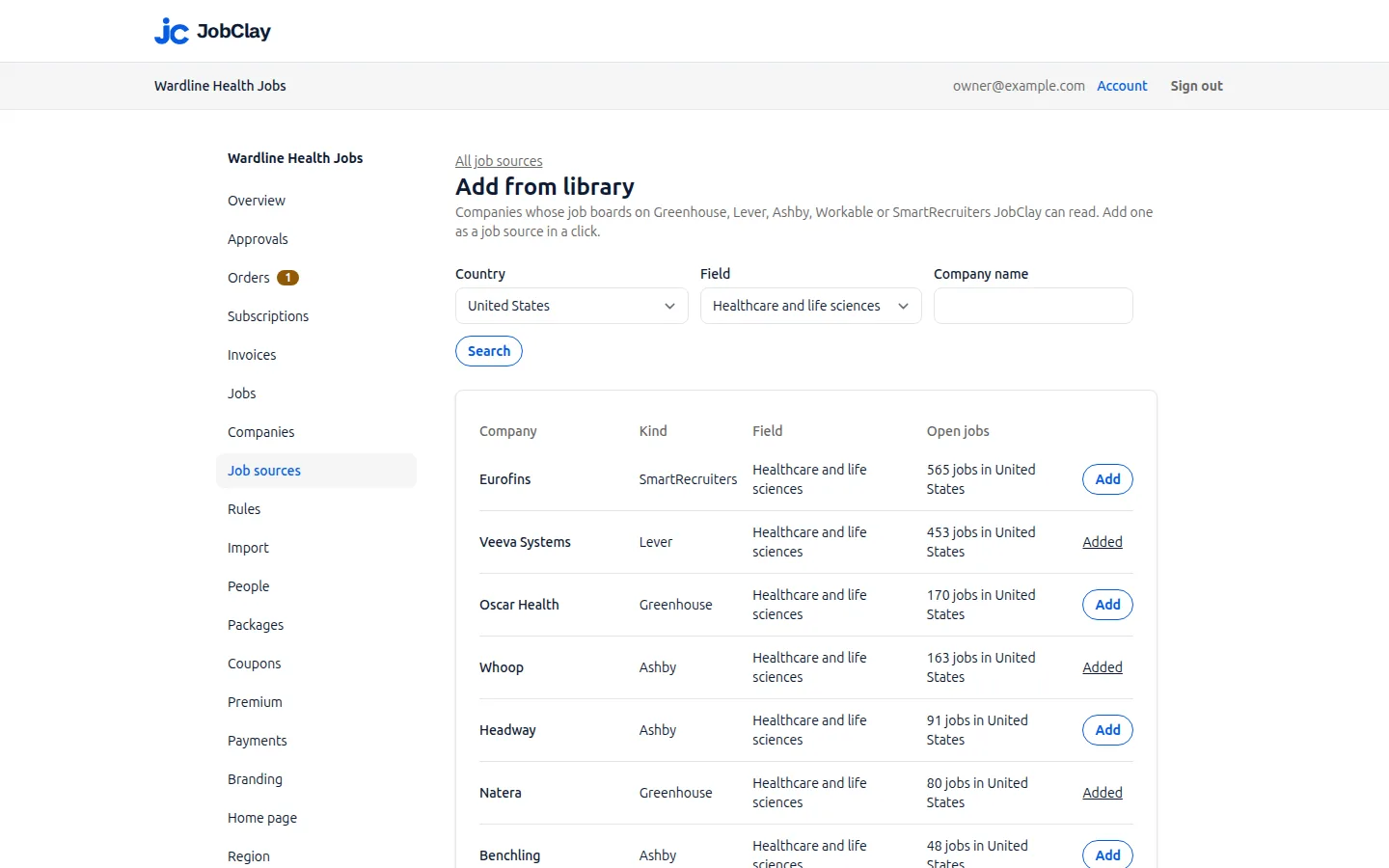
You can type a board’s name yourself, or pick a company from JobClay’s source library and add it in a click.
Free plan, no card needed.
At a glance
| What you enter | The board’s name, such as acme, or its address on boards.greenhouse.io or job-boards.greenhouse.io. Each post names its company. |
|---|---|
| What arrives | Title, full description, company, places, first published date and fields for your rules, plus pay when a range’s title names a year or month and its currency is your board’s. |
| Entry level | Not sent. Jobs arrive unmarked until a rule marks them, by title words or a field such as the department. |
| How often | Hourly, daily or weekly, as you choose. A new source reads daily, and Run now reads it at once, up to once every 10 minutes. |
| When a job closes | On the first good run after the post leaves the board, unless another of your sources still lists it. A board that suddenly reads empty closes nothing until 3 runs in a row, over 24 hours or more, find it so. |
| Job sources | Each board is one job source: 1 on Free, 3 on Starter, 10 on Growth and 30 on Scale. |
Page updated .
What comes across from a Greenhouse post
JobClay reads a Greenhouse board in a single request: the board’s public list of job posts, with each post’s content and pay ranges. Greenhouse documents that its Job Board API needs no sign-in to read, and that its content option adds each post’s full description, departments and offices. Each post becomes a job under the company it names, or the company you pin.
- Title: the post’s title, as plain text.
- Description: the post’s content, which Greenhouse sends escaped. JobClay restores the formatting and drops scripts and styles.
- Places: the post’s location, or its offices’ locations when that is empty, each matched to your board’s cities. Remote or Hybrid among them sets the work mode; otherwise the job is in-office.
- Posted date: the day the post was first published, while Use the posting date from the source is on.
- Apply: the address Greenhouse gives the post, either its page on Greenhouse or a page on the company’s own careers site; applicants apply wherever it leads.
- Source fields: departments, offices, and the custom fields the company exposes to its job board whose values are text, for your rules to read.
Sources
- Greenhouse: Job Board API. Read on .
Why some Greenhouse pay ranges show and others do not
A Greenhouse post carries pay only when the company has defined a pay range for it. A range holds a lowest and highest figure in cents, a currency, a title and a note; no field of its own says whether it is a yearly salary or an hourly wage.
So JobClay reads the period from the range’s title. Annual, Yearly or Monthly gives it, and the cents become whole amounts. Hourly names a period your board does not show pay by, and a title naming only a place, like the NYC Salary Range in Greenhouse’s own example, names none: the job then shows no pay rather than a guess.
Only a post’s first range is read, and only in your board’s currency, set on the console’s Region page: a board in euros shows no pay from a range in US dollars.
title          Annual Salary
min_cents      9500000
max_cents      12500000
currency_type  USD
  kept: 95000 to 125000, by the year
title          NYC Salary Range
  left off: the title names no period
Sources
- Greenhouse: Job Board API. Read on .
Greenhouse has no entry level field, so a rule marks one
Nothing in a Greenhouse post says it is meant for graduates or juniors. So every Greenhouse job arrives unmarked, states no experience, and stays out of the entry level filter on your board’s job search.
A rule on the console’s Rules page fixes that: its conditions name a field and words, matched as whole words or phrases, and its action is Mark as entry level. A marked job reads Entry level on its page and joins the filter.
Titles are the usual signal. Where a company keeps early careers roles in a department of their own, or exposes a seniority field with a text value, the rule can read that instead: choose A source field and type the field’s name. Test shows which of your newest imports the rule would change.
A rule decides each post as a run brings it in, new or changed. For jobs already imported, Re-apply to existing jobs marks the live ones only: a job still waiting for room on your plan or for your approval is passed over, and stays unmarked until its post changes on Greenhouse or you press Re-apply again after it goes live. That is why the steps below make the rule before the board is first read.
When the title has graduate or junior or intern or apprentice, from acme (Greenhouse): mark it as entry level
When the department field has Early Careers, from acme (Greenhouse): mark it as entry level
Sources
- Greenhouse: Job Board API. Read on .
Board names, addresses and boards hosted in the EU
Board name takes the name or the whole address; the name is the part after the host. JobClay stores the name alone, in lower case, and reads the board through Greenhouse’s API by it, so the public address can move between hosts without breaking the source.
JobClay does not read boards on Greenhouse’s EU host: an address ending in .eu.greenhouse.io is refused when you add the source.
A name Greenhouse does not know fails the run, which says Greenhouse has no board named and the name. A failed run closes nothing, so after a typo or a renamed board the imported jobs stay as they were until you correct Board name.
acme
https://boards.greenhouse.io/acme
https://job-boards.greenhouse.io/acme
https://job-boards.eu.greenhouse.io/acme
  refused: a board on the EU host
Where Greenhouse jobs fit on your plan
Each Greenhouse board is one job source on your plan, whether you typed its name or added it from the library, and a source you switch off still counts. Plans include 1 on Free, 3 on Starter, 10 on Growth and 30 on Scale.
Imported jobs go live only in the room your plan’s live jobs leave, never pushing out a job an employer or you posted. Most live jobs from this source keeps one company from filling the board, and New jobs wait for my approval lets you check jobs first.
Only jobs in your board’s country drops posts placed only abroad or nowhere, and a library company starts with it on when your board has a country.
Set it up
- 1
Find the board name
Open one of the company’s jobs: on boards.greenhouse.io or job-boards.greenhouse.io, the part after the host is the name. A job on the company’s own site with gh_jid in its address hides the name; try the company’s own name, which the first run confirms or fails without closing anything.
- 2
Add the source, not yet on
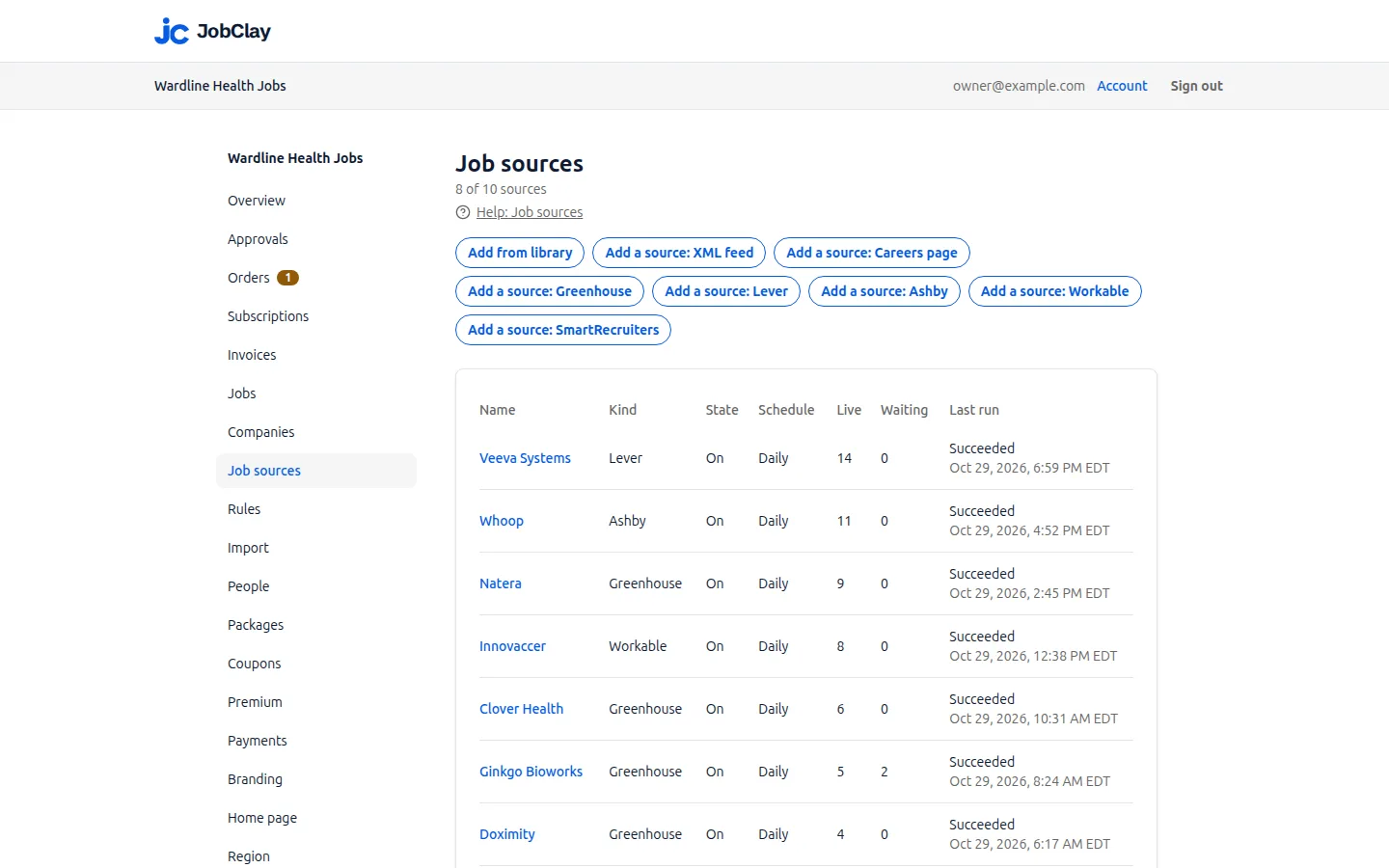
On Job sources, press Add a source: Greenhouse, put the name or the address in Board name, choose how often to read it, untick On, and press Add source. Nothing is read yet.
- 3
Mark entry level jobs
On Rules, pick the new source, give title words such as graduate or junior, choose Mark as entry level, then press Add rule.
- 4
Turn the source on
Back on the source’s page, tick On and press Save. Its first run follows shortly, with the rule deciding each post it brings.
- 5
Read the first run
Runs, on the source’s page, lists each run’s counts and any error.
- 6
Or add it from the library
If Add from library on Job sources finds the company, its Add finds and adds the board for you, but the source starts on, so its first run can come before your rule: once the rule is made, press Re-apply to existing jobs on Rules, and press it again when jobs that were waiting for room or your approval go live.
What it does not do
- JobClay reads the public Greenhouse job board only and does not sign in to the company’s Greenhouse account, so its candidates and unlisted jobs stay in Greenhouse.
- An address on Greenhouse’s EU host is refused, and an EU board’s name typed alone fails when read: JobClay reads Greenhouse’s main host only.
- Applicants apply where the post’s address leads, its page on Greenhouse or the company’s careers site, so their details go to the company, not to your board.
Questions
Anything else? See the plans, or start a free board and look around.
Does the company have to give me access to its Greenhouse?
No. JobClay reads the same public job board anyone can open in a browser, through Greenhouse’s Job Board API, which asks for no sign-in. Nothing is installed on the company’s side.
Why does a Greenhouse job on my board show no salary?
The company set no pay range on the post, the range’s title names no year or month, or its currency is not your board’s. JobClay leaves such a range off rather than guess.
Does JobClay read the custom fields a company adds in Greenhouse?
Only those the company exposes to its job board, and only when their values are text. Each becomes a source field under its own name, which a rule can read to give a term or skip the job; fields kept inside Greenhouse never reach your board.
What happens if the company renames its Greenhouse board?
Runs fail, saying Greenhouse has no board by the old name, and close nothing. Put the new name in Board name on the source’s page, press Save, then Run now.
Will a job show twice if the company also posts it on my board?
Not when the employer’s post applies through a link carrying the same Greenhouse job number, such as the post’s Greenhouse page or a careers page with gh_jid in its address. JobClay matches a Greenhouse listing by that number, so the two become one job, and the employer’s post is the one kept. A post that applies by email, or through a link without the number, stays a job of its own.
Related
- Integrations The connections a JobClay board has: your website and domain, jobs in from hiring systems and feeds, jobs out to aggregators and Google, payments and webhooks.
- Lever Put a company’s open roles from its public Lever job board on your own job board: the US or EU host, the company name, work mode, pay intervals and entry level.
- Ashby Read any company’s public Ashby job board into your JobClay board: what arrives, when pay shows, how often it runs, and a rule to mark junior roles entry level.
- XML feeds and careers pages Fill your job board from an XML feed, in Indeed’s format or mapped field by field, or from the JobPosting data on a company’s own careers pages.
- Job sources Fill a new job board from a company library, Greenhouse, Lever, Ashby, Workable, SmartRecruiters, XML feeds and careers pages, with rules and duplicate checks.
- Help: Job sources Fill your board with jobs from the source library, hiring systems, XML feeds and careers pages, and choose which go live with settings, rules and approval.
Start your job board today
Free plan, no card needed.