 JobClay
XML feeds and careers pages
How do I fill my job board from an XML feed or a careers page?
Not every company hires through Greenhouse, Lever, Ashby, Workable or SmartRecruiters. For the rest, two more kinds of job source fill your board: an XML feed, a file of jobs at a web address such as the one a company’s website or hiring system publishes for Indeed, and a careers page, the company’s own jobs page, read for the JobPosting data Google asks job pages to carry.
Both run on a schedule like any source, adding new jobs, updating changed ones and closing those that leave.
Free plan, no card needed.
At a glance
| Feed formats | Indeed’s XML format with nothing to set up; any other XML format once you name the element of each field. |
|---|---|
| Careers pages | JobPosting data in JSON-LD, on the page you give and the same-site pages it links to, one level deep. |
| robots.txt | Checked before every careers page, for JobClay’s crawler, JobClayBot. |
| How often | A feed hourly, daily (the default) or weekly; a careers page daily or weekly, never hourly. |
| Entry level | JobClay reads no level from either; a rule marks jobs entry level by a source field or the title. |
| When a job closes | When a complete read no longer lists it, or when its end date passes. A run that finds a feed or page empty closes nothing. |
| Job sources | Each feed or careers page is one job source: 1 on Free, 3 on Starter, 10 on Growth and 30 on Scale. |
Page updated .
Indeed’s format, read with nothing to set up
Indeed publishes its XML feed format: a source element holding one job element per job. Indeed requires children such as title, date, referencenumber, requisitionid, url, company, city, state, country, email and description, asks for several more when the job is on the career site, such as jobtype, salary, education, experience and expirationdate, and takes optional ones such as remotetype and category, of which it strongly recommends category. Leave Another feed format empty, and JobClay reads that shape as it is:
- referencenumber is the job’s id, and url both its page and its apply link; title, description and company become the job’s own.
- city, state and country give its place, remotetype marks it remote or hybrid, and jobtype gives its job type.
- date is its posted date and expirationdate its end date, in ISO 8601, month, day and year with slashes, or an email-style date; one with no time zone is read in your board’s time zone.
- Every other element, such as category, experience or salary, is kept by name as a source field a rule can read; salary is not read as pay.
<source>
 <job>
  <title>Staff Nurse, Night Shift</title>
  <date>2026-10-28T09:00:00Z</date>
  <referencenumber>RN-2291</referencenumber>
  <url>https://careers.examplehealth.org/jobs/rn-2291</url>
  <company>Example Health</company>
  <city>Columbus</city>
  <state>OH</state>
  <country>US</country>
  <description><![CDATA[<p>Join our night team ...</p>]]></description>
  <jobtype>full-time</jobtype>
  <category>Nursing</category>
  <expirationdate>2026-12-31</expirationdate>
 </job>
</source>
Sources
- Indeed: Job Sync XML feed guide. Read on .
Any other XML format: name the elements once
A feed in another shape takes a mapping, typed under Another feed format. Name the Job element, the one that holds a job, then for each field you want the element inside it: a child by its name, a deeper one as a path such as pay/min, or an attribute after @, such as pay/@currency. Title and either Job id or Job page address are required.
Press Preview before you save. It reads the feed with your mapping and shows the first job as JobClay reads it, with every element found inside it. Pay is kept when its currency is your board’s and its period a year or a month.
Job element        vacancy
Job id             ref
Title              position/title
Job page address   links/detail
Description        body
Company name       employer
Location text      location
Lowest pay         pay/min
Highest pay        pay/max
Pay currency       pay/@currency
Pay period         pay/@per
End date           closes
How a feed is read safely
A feed is parsed as a stream, one job at a time, with entity resolution, DTD loading and network access turned off, so a feed cannot make the reader open a file, reach another host or swell in memory. The fetch reaches public addresses only, on http port 80 or https port 443, checks each redirect again, and stops at a time limit and a size cap.
A run that meets a broken feed keeps the jobs read before the break, and one that meets a feed longer than a run reads keeps its first jobs; neither closes anything.
Careers pages: the job data on the company’s own site
A company that wants its jobs in Google’s job search puts JobPosting structured data on its job pages. Google asks for it on each job’s own page, not on a page listing many jobs, so JobClay reads both levels: the careers page you give, and each page of the same site it links to, one level deep. It reads the JSON-LD form, a script of type application/ld+json, which Google recommends; microdata and RDFa are not read. From each posting:
- title and description become the job’s; identifier is its id, or else its url, which is also where applicants apply.
- hiringOrganization gives the company’s name, website and logo; jobLocation its places, and a jobLocationType of TELECOMMUTE marks it remote.
- employmentType gives its job type, baseSalary its pay when yearly or monthly in your board’s currency, datePosted its posted date and validThrough its end date.
- Every other property written as text, such as industry, is kept as a source field for rules.
Sources
robots.txt, pauses, and why careers pages never run hourly
Before reading any page of a careers site, JobClay reads its robots.txt and follows the rules for JobClayBot as RFC 9309 sets them out, the most specific matching rule winning. A missing robots.txt lets it in; one that answers a server error, asks it to slow down or does not answer keeps it off the site for now. If it refuses the careers page, the run brings nothing in and its log says so; a refused linked page is skipped.
A run’s requests to a site go one at a time with a pause between them, longer when robots.txt sets a longer Crawl-delay, each naming JobClayBot and the page that explains it. A careers source runs on a daily or weekly schedule, never hourly, and Run now starts it at most once every 60 minutes. A run reads only so many linked pages for only so long; stopped early, it keeps what it found and closes nothing.
A page with no markup gets a line in the run’s log, which names the company’s board on a hiring system JobClay reads if the page links to one.
Sources
Sort the jobs by the source’s own fields
A rule condition on a source field reads one element of a feed’s job, or one text property of a JobPosting, by its name, whatever its case. That is how jobs from feeds and careers pages get sorted by what their source already says about them, and, since JobClay reads no experience level from either kind, how they get marked entry level.
When the category field has Nursing or Midwifery, from careers.examplehealth.org: give Job category › Nursing

When the experience field has entry level or newly qualified, from careers.examplehealth.org: mark it as entry level

When the occupationalCategory field has registered nurse, from jobs.examplecare.org: give Job category › Nursing
Set it up
- 1
Find the feed or the page
Ask the company for its XML job feed’s address, often the one it gives Indeed, or copy its careers page’s address.
- 2
Add the source
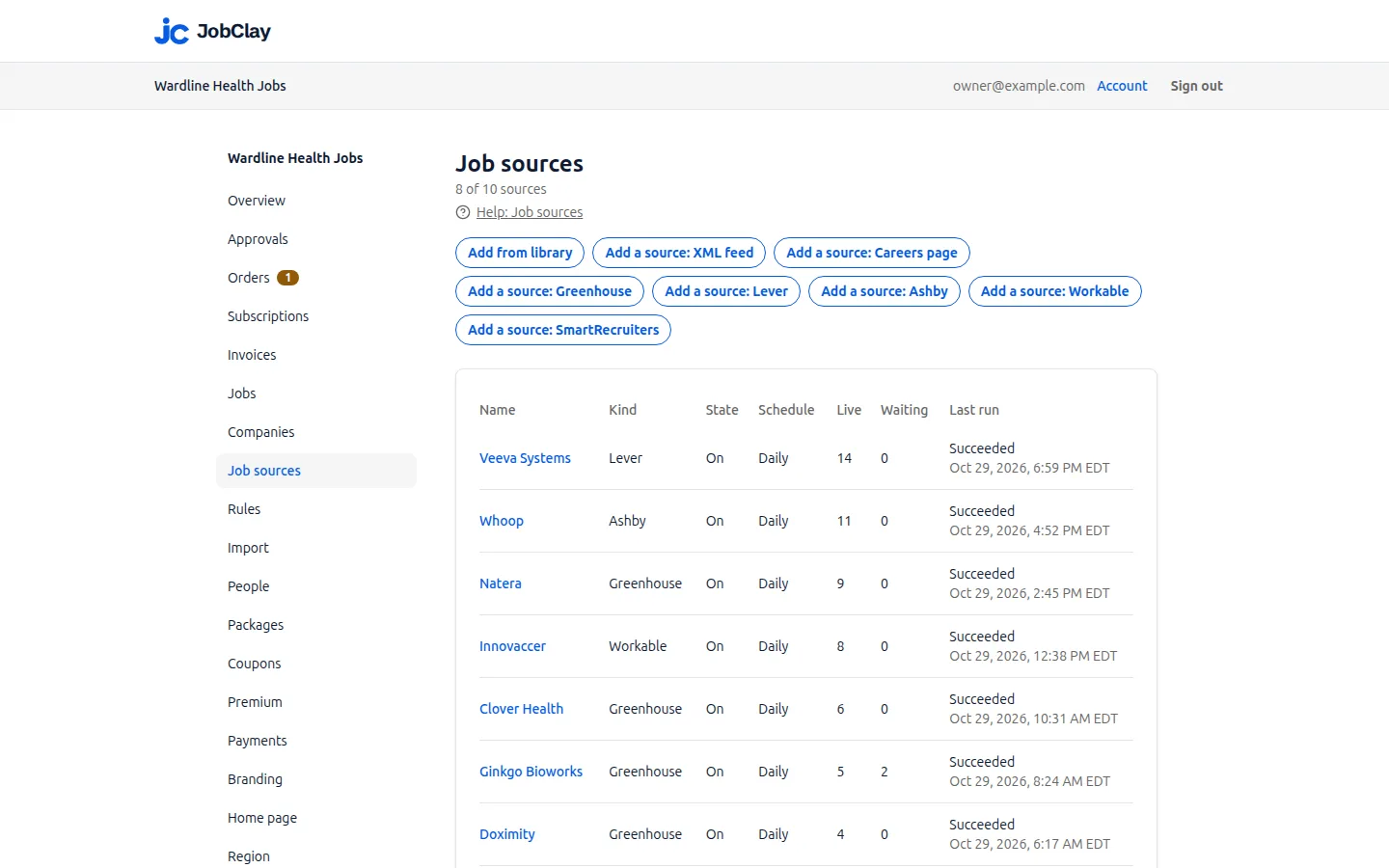
On Job sources, press Add a source: XML feed and fill in Address, or Add a source: Careers page and fill in Page address.
- 3
Map a feed that is not Indeed’s
Open Another feed format, name the elements, and press Preview until the first job reads right.
- 4
Choose the settings
Pin the company if every job is one company’s, and pick how often to read it.
- 5
Check the first run
Press Add source, then read its Runs: what came in, what was skipped, and any line about markup or robots.txt.
What it does not do
- Only XML feeds and careers pages with JSON-LD markup: no JSON feed, CSV file or spreadsheet as a scheduled source.
- No feed or page behind a sign-in: JobClay sends no password or headers of yours.
- A careers page whose job markup is added in the browser by JavaScript, or is only microdata or RDFa, gives no jobs.
- A careers site that links to more pages than one run reads is read in part every time, so no run closes its jobs: each stays up until its end date or your board’s job length runs out. Its feed, if it has one, suits better.
Questions
Anything else? See the plans, or start a free board and look around.
Which XML feeds work with nothing to set up?
A feed in Indeed’s format: add it with Another feed format left empty and press Preview; if the first job reads right, it works as it is.
My feed uses its own element names. Can JobClay still read it?
Yes, if it is XML. Map at least the title and an id or a page address under Another feed format, and Preview checks the mapping against the feed’s first job.
Can JobClay read a careers page that has no JobPosting markup?
No. A page that shows jobs only as text gives nothing, and the run’s log says no markup was found. Ask for a feed, or add the hiring system board the log names, if any.
Will a careers page source put load on the company’s site?
Very little: a run’s requests go one at a time with pauses, on a daily or weekly schedule with Run now at most once every 60 minutes, and each names JobClayBot, whose page tells site owners how to keep it out.
Do jobs from a feed close on their end date?
Yes, while Close jobs on the source’s end date is on, as it is for a new source: a job whose end date has passed does not go live, and a live one closes on it.
Related
- Integrations The connections a JobClay board has: your website and domain, jobs in from hiring systems and feeds, jobs out to aggregators and Google, payments and webhooks.
- SmartRecruiters Fill your job board from any company’s public SmartRecruiters job board: what each job brings, entry level jobs, how a big company arrives, and when jobs close.
- Greenhouse Fill your job board from companies’ public Greenhouse job boards: what JobClay reads, when pay shows, EU boards, entry level rules and when jobs close.
- Job feeds Send your board’s jobs to Indeed, Jooble and Talent.com through XML feeds, and to Zapier, Make or a newsletter through RSS: what each holds, how to send it.
- Help: Job sources Fill your board with jobs from the source library, hiring systems, XML feeds and careers pages, and choose which go live with settings, rules and approval.
- JobClayBot JobClayBot reads job feeds, careers pages and employers' public job boards into a shared job pool. It says how often it reads and how to have your jobs removed.
Start your job board today
Free plan, no card needed.